
JobsiteBooked for roofers
“Let me think about it.” Then nothing.
JobsiteBooked is a roofing CRM for small roofing companies: you see who opened each estimate, and who never looked. Follow-up texts go out at 2 and 5 days, and a yes comes back signed with the deposit paid.
- Free trial, no card
- We do the setup
- Month to month

- Reroof estimate opened 7:05 AM Oak St, three days after the inspection
- Day-2 follow-up texted 8:00 AM Birch Ln bid, still not opened
- Architectural option signed 9:40 AM Deposit paid by card, roof on the board
Features for roofers
The tools behind every roof you sell
Each one shown on a leak call, an inspection or a reroof.
Land the job
Estimates
Homeowners get three bids and go quiet on two. Yours lays out three shingle grades, and the deposit is paid by card once it's signed.
- Options: 3-tab, architectural or metal, plus add-ons like a ridge vent
- E-signature: on the homeowner's own phone, that night or next week
- Copy an estimate: last month's reroof becomes this one's start

Land the job
Online booking
Storm calls pile up while you're on a roof. Homeowners book a free inspection on your site, or send photos of the damage.
- Inspection slots: picked online, straight onto your calendar
- Request form: the ceiling stain and the missing shingles, in photos
- Confirmed: the homeowner gets a text, then a reminder

Land the job
Review requests
Homeowners read reviews before they call a roofer. A review request goes out the day after each job closes.
- Email first: your Google review link, one day after close
- Text second: a nudge three days later
- Home screen: your Google review count, kept in view

Land the job
Marketing
Winter slows the phones up north. Send past customers a roof check offer by text and email.
- After a storm: one text to every homeowner you've roofed
- Email campaigns: a spring offer to your whole list
- Lead sources: referral, Google or bought lead, on every request

Land the job
Website
After hail, homeowners book the first roofer with a button. We build your website at setup, with inspection booking on it.
- AI front desk: takes a 10 PM chat and books the inspection
- Chat bubble: answered from your phone between roofs
- Your services: reroofs, repairs and storm damage, listed by us
Run the job
Scheduling
Monday rain wipes out two tear-offs. Drag each one to the next dry day, or onto another crew.
- Schedule later: every signed roof that's waiting on a date
- Two crews, one roof: both on the same visit for a big tear-off
- Map: leak calls ordered by straight-line distance

Run the job
Crew app
Crew leads call you for the shingle color and the gate code. Each one opens the job and finds both, with the checklist.
- Week view: today's roof, tomorrow's and the rest of the week
- ETA text: the homeowner hears before the trailer pulls in
- iPhone too: the crew page runs in any phone's browser

Run the job
Job photos
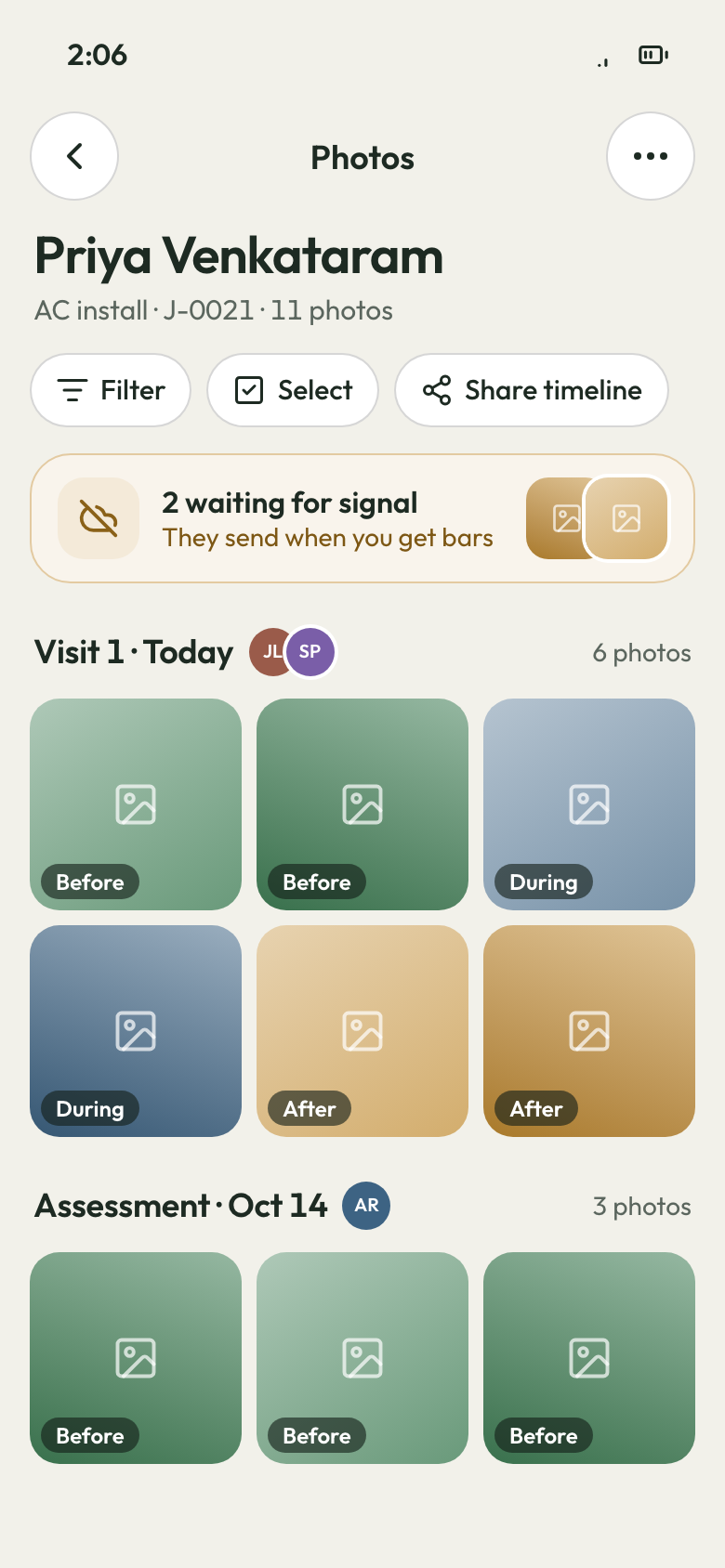
Homeowners never climb up to see the work. Send them the before, during and after as a photo report or a link.
- Tagged by visit: inspection, tear-off day and final walk
- Draw on a photo: circle each hail hit before you send it
- Out of range: the Android app keeps photos and uploads them later

Run the job
Time tracking
A two-day reroof runs into day three, and nobody says why. Crews clock in and out of each visit and leave a note.
- Crew page: clock in at the house from a phone's browser
- Visit notes: wind shut the roof down by noon
- Payroll CSV: approved hours, downloaded for your bookkeeper

Run the job
Integrations
The office keeps a second calendar on the wall. Every visit shows in your Google Calendar instead.
- Google Calendar: visits on each office user's own calendar
- Gmail or Outlook: homeowner emails sit beside your texts
- Zapier: a bridge to your other apps
Bill the job
Invoicing
The roof's on and the final invoice isn't written. Make it from the job, already less the deposit.
- Less the deposit: the balance worked out, no math
- Late fee: set it once in your terms
- Reminders: an email when it's due, then while it's overdue

Bill the job
Payments
Shingles and crew are paid, and the final check is still coming. The homeowner pays the balance by card from a text.
- Deposit after signing: material money in before the drop
- Bank transfer: US homeowners can pay a big balance by ACH
- Portal: the balance paid from their own login

Bill the job
Expenses
The dumpster, the permit and an extra pallet eat a reroof's margin. Each bill goes on its job, with a photo.
- Receipt photo: supplier and dumpster bills kept on the job
- At the desk: entered from the office computer
- Job profit: every bill set against that roof

Bill the job
QuickBooks sync
Your bookkeeper retypes every deposit into QuickBooks. Invoices and payments sync to QuickBooks Online instead.
- To QuickBooks: every sent invoice and payment, plus customers
- Deposits and finals: both land in your books
- Setup: we link your QuickBooks file
Bill the job
Reporting
Ten roofs done this month, and you can't say who still owes. See every open balance and each roof's profit.
- Money owed: each unpaid final, with how long it's sat
- Job profit: each roof after shingles, labor and job receipts
- Sales tax: collected tax, split by rate

Bring them back
Texting & inbox
Storm leads arrive by text, Facebook and website chat. Answer each one from the inbox on your phone.
- Missed calls: text the caller first, in one tap
- Business line: calls ring the Android app on the roof
- Photo texts: the homeowner sends the ceiling stain

Bring them back
Reminders
Homeowners forget the install date after a rain delay. They get the new date by text, then a reminder the day before.
- Day before: 3:30 PM, then an hour before the crew
- On the way: the crew lead's ETA by text
- Estimate nudges: a text at 2 days, then text and email at 5

Bring them back
Customer portal
The homeowner wants the warranty paper again. It sits in their portal, with every invoice.
- Files: the contract and warranty under your logo
- Pay or request: the balance by card, or a new repair
Bring them back
Customer list
A leak call comes from a house you roofed three summers ago. Open the customer and see the roof, the shingle and the notes.
- Property history: every job at that address, with dates
- Pinned note: the shingle line and color, at the top
- Tags: storm-zone homes, ready for a roof check offer

A roofer's week
Quiet bids, storm calls, roofs you're not on
Three moments in a roofing season, each with its fix.
Three days later
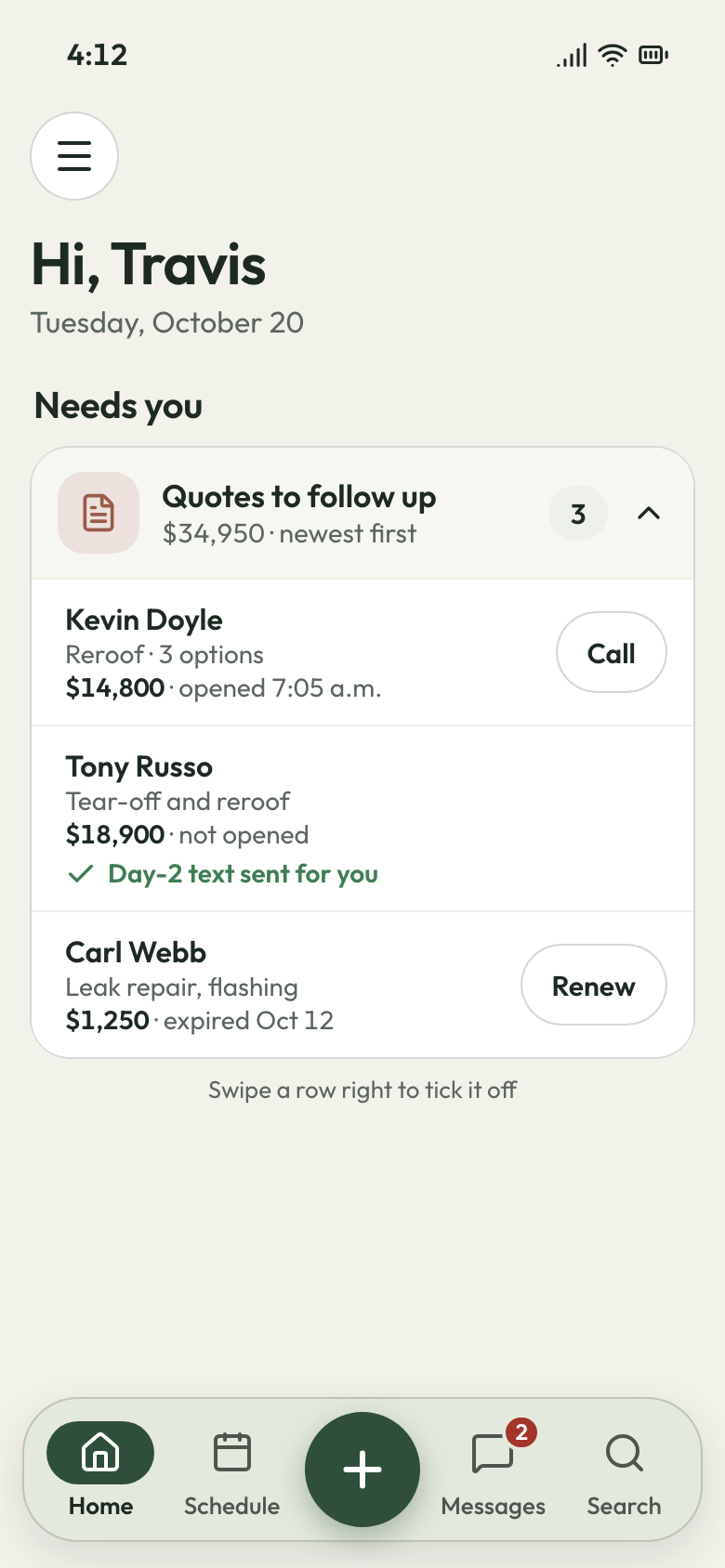
Know which bids are still alive
An hour on the roof and an evening on the price, then the homeowner stops answering. You never learn if it was price, or if they never looked.
Every estimate shows when it was opened, so you call the ones who looked. A text follows up on day 2, and a text and email on day 5. Three options sit side by side: 3-tab, architectural and metal. The homeowner signs on their phone and pays the deposit by card. For a rehash, renew the expired estimate in one click and send a new price.
- Opened: when the homeowner looked at your price
- Two follow-ups: day 2 and day 5, sent for you
- Renew: an expired estimate back out in one click
The week after hail
Storm calls booked while you're up top
The week after hail, you're on a steep roof and your phone rings in your pocket. When you get down, they've already booked the roofer who picked up.
The AI front desk picks up, writes down the address and damage, and books the inspection. Homeowners who'd rather not call send a request with photos of the dented shingles. They get a confirmation by text, then a reminder, so the inspection they booked is one they remember.
- AI front desk: books the inspection while you're on a roof
- Request form: photos of the damage, sent from the driveway
- Inspection reminder: a text before you pull in

Three roofs, one owner
Check every roof without driving to it
You drive between three roofs a day, because the one time you didn't, flashing got skipped. The leak call came back a month later, unpaid.
The crew lead ticks each step on the job's checklist: ice and water shield, drip edge, flashing, magnet sweep. Before, during and after photos land on the job, tagged by visit. You look over the flashing from the truck, and the homeowner gets the photo report. On a warranty call, the crew opens the address and sees what was done there, and when.
- Checklist: every step ticked on the crew lead's phone
- Photo report: before, during and after, for the homeowner
- Sign-off: the homeowner's signature on the last day


Rehash the bids that went quiet
Each expired bid goes back out in one click, with a sharper price. Winter's quiet weeks get a second pass at every roof you priced.
What contractors say
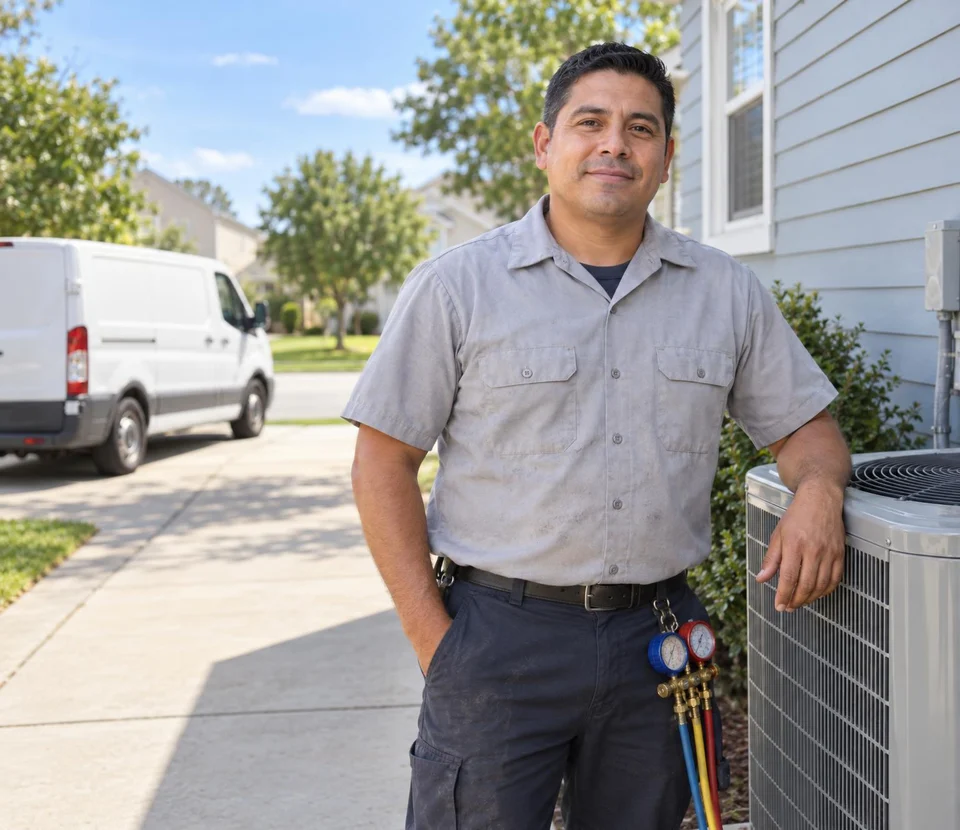
Luis M.HVAC service Every seasontune-ups rebookedTune-up customers get put back on the schedule every season, and I don't lift a finger.

Carlos S.General contractor 40 → 150Google reviews in a yearWe went from 40 Google reviews to over 150 in a year, and nobody had to ask a customer by hand.

Mike D.Remodeling contractor Halfsigned before I'm homeI used to write estimates at the kitchen table at night. Now I send them from the truck, and half get signed before I'm home.

Dave P.Handyman Zeromissed callers left waitingIf my phone rings while I'm on a ladder, the caller gets a text from my business number before I climb down. Half the time they've picked a slot by then.

Tom R.Painting company 7 a.m.calls stoppedMy crew opens their phone and sees the whole day: addresses, notes, what to load. The 7 a.m. calls stopped.

Jake K.Flooring installer From a textinvoices paidCustomers pay the invoice from a text before we've finished loading the truck.


Why roofers switch
What you stop paying for on every roof
The signed roof that cancels
Every signed roof waits in the schedule-later list until it gets a date, so none is forgotten.
The final you chase by phone
The final invoice comes less the deposit, with a card link. Email reminders go on the due date, then three more, 3 days apart.
The CRM nobody finished setting up
We load your prices, customers and crew phone links, and build your website. Your office starts on day one.
Questions from roofing company owners
What's the best CRM for a small roofing company?
What do you do when a homeowner ghosts after a roofing estimate?
Is there roofing software for the production schedule, not just leads?
Does it work with QuickBooks for a roofing company?
Is there an app for my roofing crew?
How much does roofing software cost?
Set up for you
Loaded and ready before hail season.
We do the setup: your services and prices, your customers, each crew member's personal link to the crew app, and your website. You stay on the roof.
- Free trial, no card
- Month to month, cancel any time