
Bill the job
Materials paid. Still waiting on the check.
With JobsiteBooked's credit card processing for contractors, customers pay by card from a link you text or email. Once they've signed the estimate, the deposit is paid by card right from that page. You buy materials with their money.
- Deposits paid right after they sign, then taken off the final invoice
- US customers can pay straight from the bank
- Money owed shows each open balance and how late it is
- Free trial, no card
- Month to month, cancel any time


Where it sits
Payments sits in Bill the job
Land the job
Online booking · Estimates · Review requests · Marketing · Website
Run the job
Scheduling · Crew app · Job photos · Time tracking · Integrations
Bill the job
Invoicing · Payments · Expenses · QuickBooks sync · Reporting
Bring them back
Texting & inbox · Reminders · Customer portal · Customer list
Payments
You pay out before they pay you
The check in the mail, the deposit, and the final payment.
Bills due
Paid by card, not by check
The supply house account is due Friday, and three customers still owe from jobs two weeks old. Two say the check is in the mail.
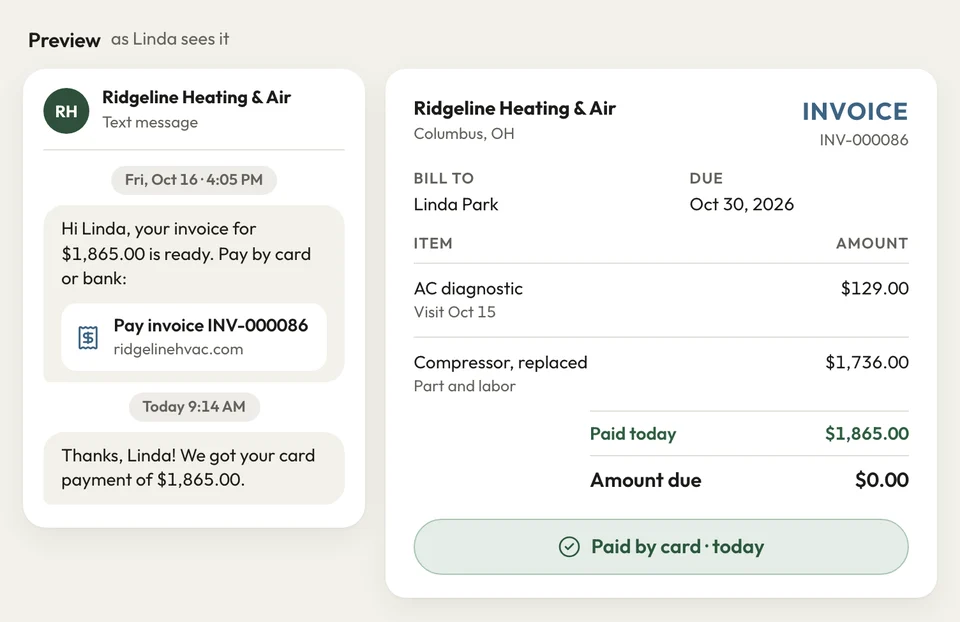
Every invoice goes out by text and email with a pay link. The customer taps it and pays by card on their phone, or by bank in the US. The invoice shows paid, and the money goes to your bank account through Stripe.
- Card: from the text or email link, on their own phone
- Bank payments: for US customers who'd rather
- Stripe: card payments land in your bank account
At signing
The deposit's in before you order
You order cabinets on your card the day the kitchen is signed, before the homeowner pays a cent. Your card carries the job for weeks.
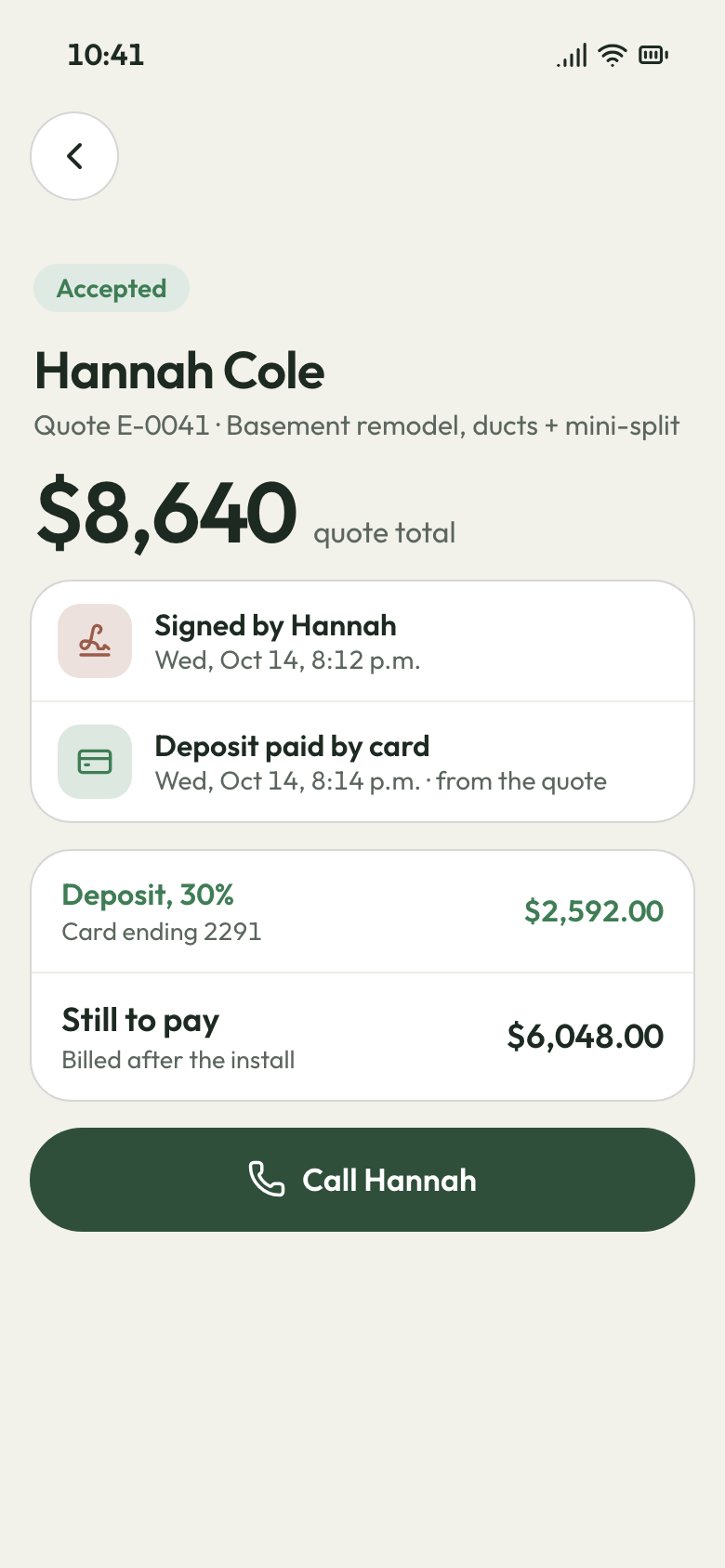
Set the deposit on the estimate. The customer signs on their phone, then pays the deposit by card on the pay page. The final invoice from the job takes it off, so nobody does the math.
- Deposit set on the estimate
- Paid by card right after signing
- Final invoice: less the deposit, worked out for you
Signed, then deposit paid Final payment
The last payment, chased without you
The remodel is 95% done, and the last payment waits on one back-ordered window. The homeowner stops answering texts.
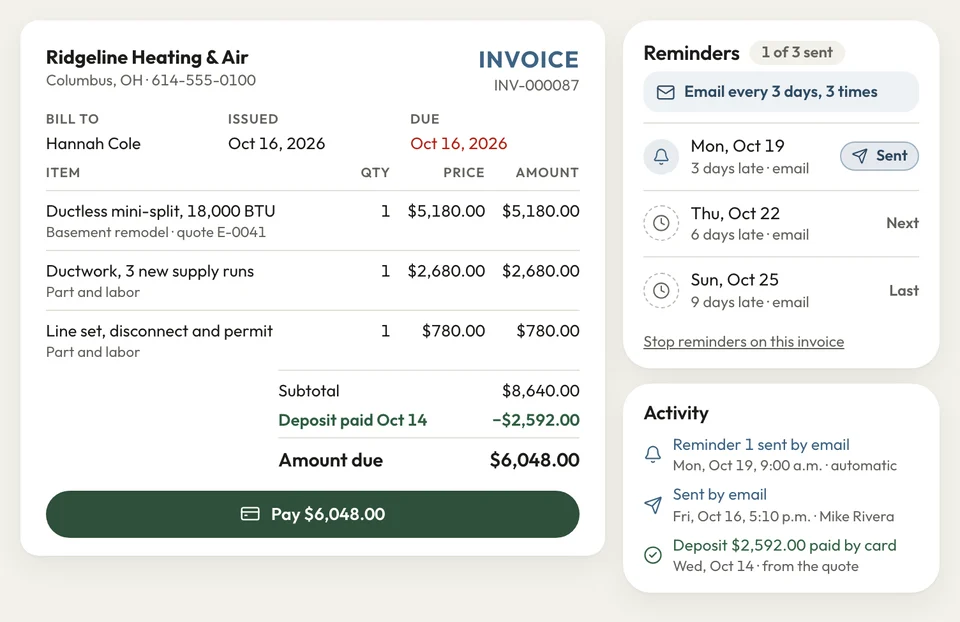
Send the final invoice from the job, the deposit already off, with its pay link. Once it is overdue, a reminder email goes every 3 days, three times. Customers can also log in to their portal to see and pay what's open.
- Overdue: an email reminder every 3 days, three times
- Customer portal: open invoices paid by card
- Money owed: balances by customer and by age
A remodel's final invoice


Most of my customers paid by check, and I'd drive around collecting them. Now the deposit comes in by card before I order, and the rest comes the same way.
How it works
How a card payment lands in your bank
Send it
Text and email the invoice from the job. The pay-by-card link rides along.
They pay
The customer pays on their phone by card, or by bank in the US.
Marked paid
The invoice shows paid and leaves Money owed. The payment syncs to QuickBooks Online.
Related features
What works with card payments
- See Invoicing
Invoicing
Invoice per job, per visit, in a batch or by the month, each with the pay link.
- See Reporting
Reporting
Money owed by customer and by age, and every job's margin.
Texting & inbox
A customer's text about a bill lands in the inbox, and you answer from your phone.
Next: Bring them backSee Texting & inbox
Questions about taking cards
How do customers pay me online?
How do I take credit card payments as a contractor?
Can I collect a deposit before I order materials?
Can I see which customers have paid?
Can I keep using QuickBooks?

We do the setup
Take the next deposit by card
We do the setup: your services and prices, your customers, each crew member's personal link to the crew app, and your website. We connect Stripe with you, so your next estimate can carry a deposit.
- Free trial, no card
- Month to month, cancel any time