
Bring them back
Phone numbers on the back of your hand
JobsiteBooked is a business texting app for contractors, with every customer call, text and message on your phone. Miss a call on the ladder, and one tap makes it a request, the caller's number filled in.
- Each missed call on your Home screen, with Call back and Request
- Text, email, chat, Facebook and Instagram, one thread per customer
- Replies from the truck, on the channel the customer used
- Free trial, no card
- Month to month, cancel any time


Where it sits
Texting & inbox sits in Bring them back
Land the job
Online booking · Estimates · Review requests · Marketing · Website
Run the job
Scheduling · Crew app · Job photos · Time tracking · Integrations
Bill the job
Invoicing · Payments · Expenses · QuickBooks sync · Reporting
Bring them back
Texting & inbox · Reminders · Customer portal · Customer list
Texting & inbox
What piles up while you're on the job
Three moments a customer goes unanswered, and what your phone does instead.
On the ladder
The caller saved, the request filled in
You're in an attic fishing a wire when the phone buzzes, so the number goes on your hand. By lunch it's a smudge, and the caller has hired someone else.
Your business line rings the Android app, and each call with a customer is logged in their conversation. A missed one shows under Needs you on your Home screen, with Call back and Request. Request opens a job request with the caller filled in and "Missed call" in the details. Or tap the row and text them first: "Up in an attic, I'll call you at 5."
- Business line: rings the Android app
- Needs you: each missed call with Call back and Request
- Text first: open the thread from the row
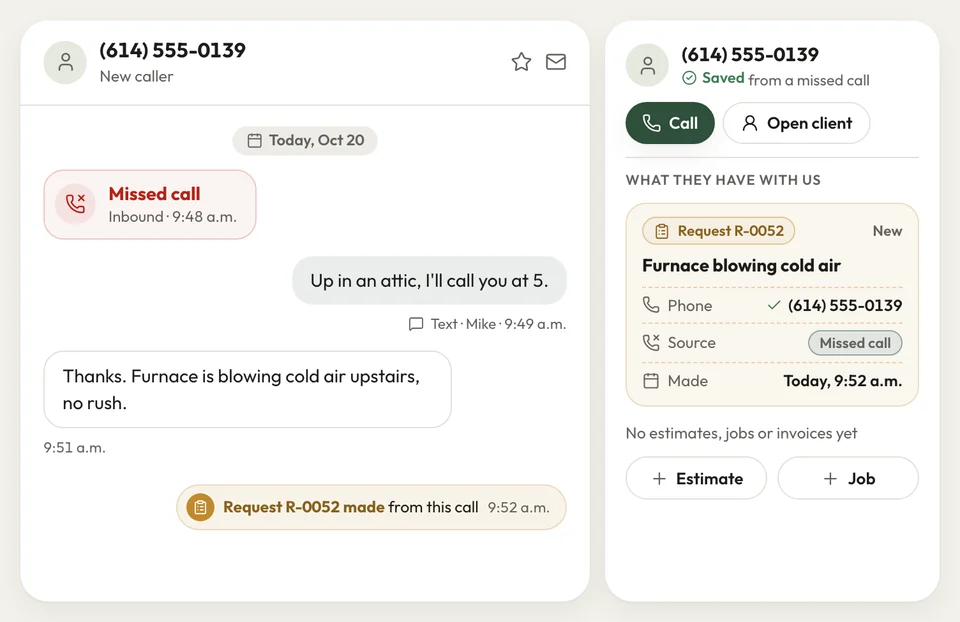
A missed call's thread Lunch in the truck
One thread per customer, whatever they used
At lunch you check texts, then Facebook, then email, and still miss one. A customer's Instagram photos of a cracked step sat unread from Monday to Thursday.
Texts, emails, website chat, Facebook and Instagram messages land in one inbox, one thread per customer, newest first. From the Android app, your reply goes back the way the customer last wrote: text, Facebook, Instagram or chat. Emails come through your own Gmail or Outlook, and you answer those from the office computer.
- One inbox: text, email, website chat, Facebook, Instagram
- Replies on the channel the customer last used
- Gmail or Outlook: emails in the customer's thread
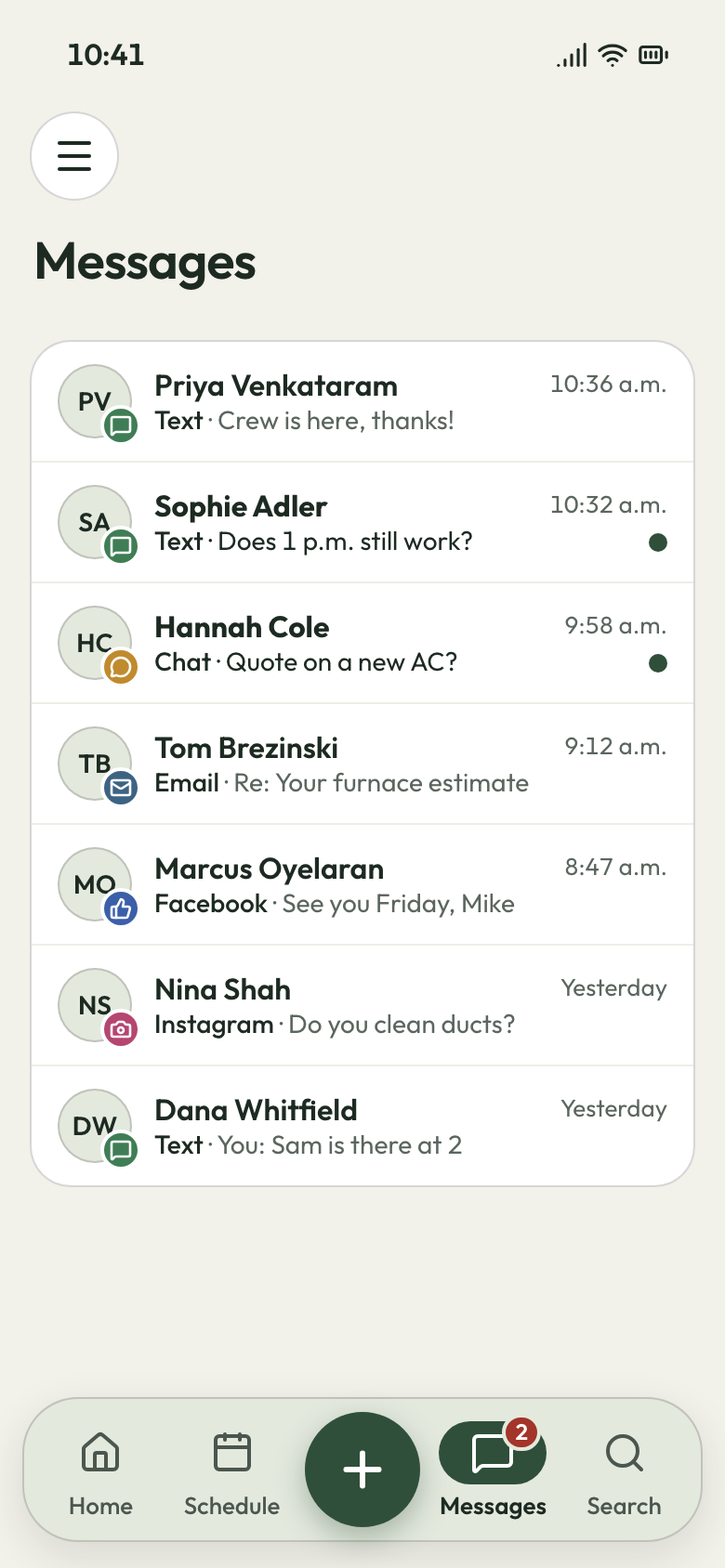
The inbox on your phone Storm week
Callers booked while you're on the roof
The week after a hailstorm, the phone rings every few minutes while you're tearing off a roof. Callers who reach voicemail ring the next name on Google.
The AI front desk answers your business line, plus website chat, email and Facebook. It asks what the caller needs, then takes their name, number, address and the problem. Then it books an assessment on your calendar, or offers a call back.
- Answers: your line, website chat, email and Facebook
- Books: an assessment, or offers a call back

AI front desk chat


I used to write callers' numbers on my hand and lose half by lunch. Now I text them from the ladder, and they wait for me.
How it works
What happens when the phone rings
It rings
Your business line rings the Android app, and each customer's texts and messages join their thread.
You answer
Pick up, or tap the missed call's row and text the caller first.
It's on the list
Tap Request, and the caller becomes a job request for you to schedule.
Related features
What else reaches your customers
- See Reminders
Reminders
Visit reminders the day before and an hour before, plus the crew's text saying when they'll arrive.
- See Customer list
Customer list
Properties, notes, tags and full job history for every customer who writes in.
Online booking
Callers who'd rather not wait book an assessment on your website, or send a request with photos.
Next: Land the jobSee Online booking
Questions about texts and calls
Can I see texts, emails, Facebook and Instagram messages together?
Can I answer customers from my phone?
What happens when I miss a call on a job?
Can I connect my Gmail or Outlook to the inbox?
Can my office manager and I see the same conversations?

We do the setup
Text back from the ladder, in one tap
We do the setup: your services and prices, your customers, each crew member's personal link to the crew app, and your website. We connect your business line and email, so the first call rings your phone.
- Free trial, no card
- Month to month, cancel any time