
Run the job
It's your word against the customer's.
JobsiteBooked's job site photo app gives contractors proof: the crew's before and after shots, filed on each visit. When a customer says the damage was yours, you send them the photos from the day you started.
- Shot with no bars, uploaded once the Android app finds signal
- One link shows the customer the work, never the address or price
- Circle the problem on the photo; the original stays as it was
- Free trial, no card
- Month to month, cancel any time


Where it sits
Job photos sits in Run the job
Land the job
Online booking · Estimates · Review requests · Marketing · Website
Run the job
Scheduling · Crew app · Job photos · Time tracking · Integrations
Bill the job
Invoicing · Payments · Expenses · QuickBooks sync · Reporting
Bring them back
Texting & inbox · Reminders · Customer portal · Customer list
Job photos
The proof sat in a helper's camera roll
Three arguments a photo ends, and how each one gets on file.
The callback
Subfloor proof, eight months after the install
Eight months after a hardwood install, the boards cup and the manufacturer blames your installer. The subfloor photos left with last year's helper, so the return trip is on you.
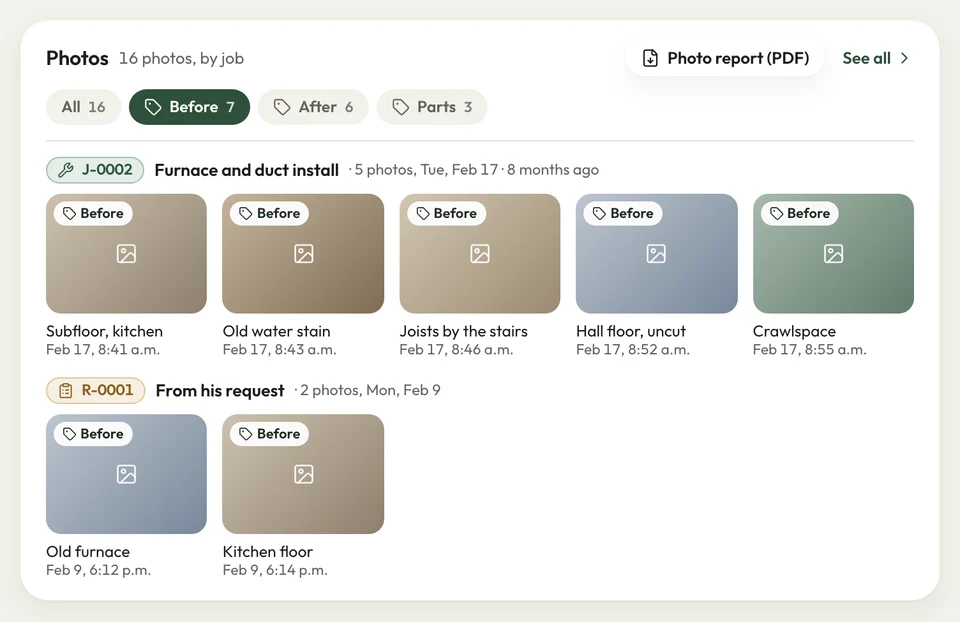
Before the first board goes down, your installer photographs the subfloor and the moisture reading, tagged Before. In a basement with no bars, the Android app keeps them and uploads once it finds signal. At the callback, you print the job's photo report to PDF for the inspector.
- Before, During and After tags on every visit
- No signal: the Android app uploads the photos later
- Photo report: printed to PDF for the inspector
Six weeks later
Scope questions come up while you're still there
Six weeks after the walkthrough, the customer calls: the trim was supposed to come off. Nobody can show what the rooms looked like the day you finished, so you go back for free.
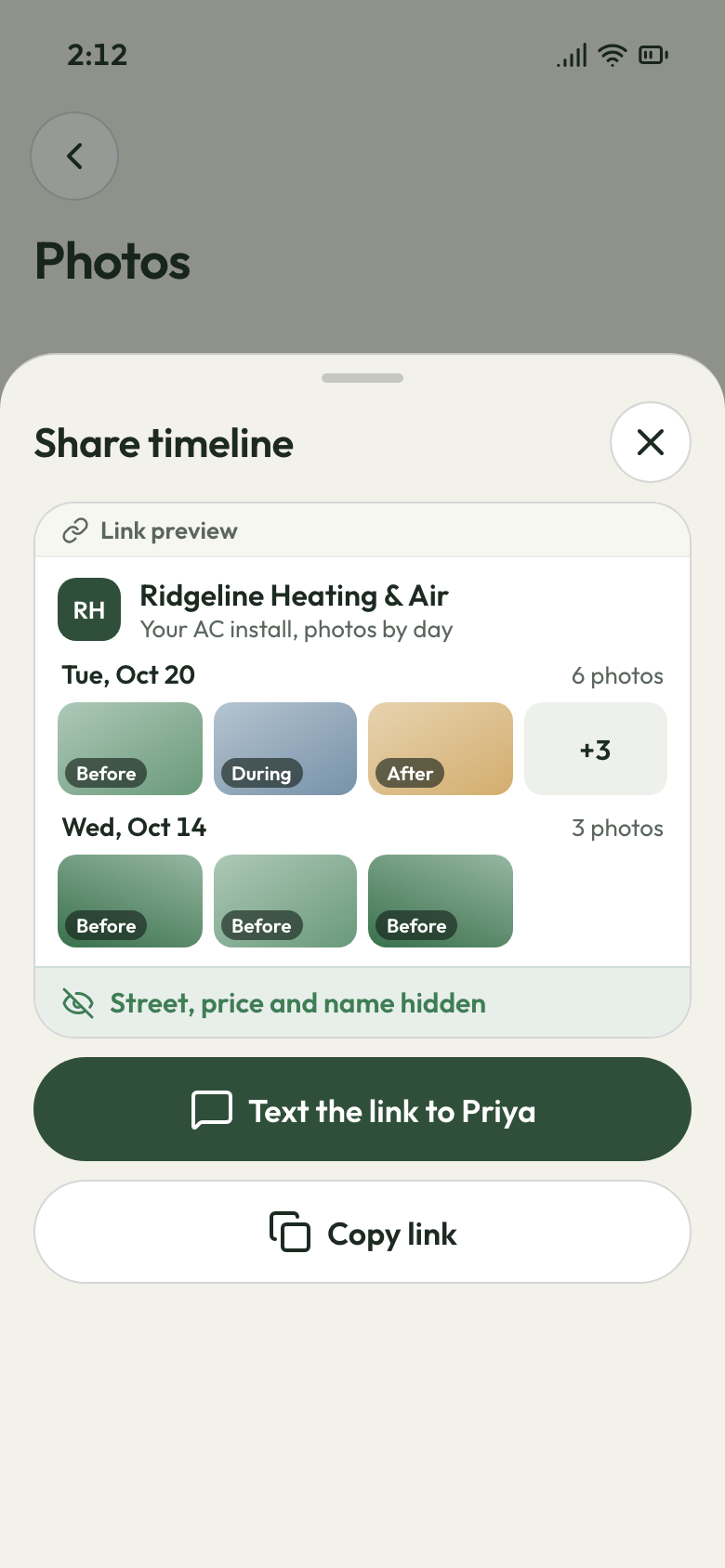
You turn on the job's photo timeline and text the customer its link. Each day's photos show up there, so a scope question comes while the crew is still on site. At the walkthrough, the customer signs off on the crew lead's phone.
- Timeline link: no street, price or customer name on it
- Hide any shot you'd rather keep off the link
- Customer sign-off on the crew lead's phone
What the customer's link shows Found rot
Extra work, photographed and signed first
The old deck boards come up and two joists are soft. The customer says go ahead, then pays the contract price and not the repair.
Your crew lead photographs the joists, tags the shots During and circles the soft wood right after the shot. You send the repair from the office as its own estimate, the rot photos captioned on it. The customer signs it on their phone before anyone cuts lumber.
- During shots of what the old boards hid
- Draw on a photo: the marked copy saves beside the original
- The repair signed as its own estimate before the work

The rot, circled


A customer said my crew cracked the stucco putting in a window. I sent the before photos from that morning, and that was the end of it.
How it works
How a photo becomes your proof
Shoot
The crew opens the visit on their phone, takes the shot and tags it Before, During or After.
File
Each photo lands on that visit and the customer's record, where the office sees it.
Show
If the customer pushes back, print the photo report or text them the timeline link.
Related features
Works with your job photos
- See Crew app
Crew app
The camera sits on each visit, next to directions, the checklist and the customer's sign-off.
- See Time tracking
Time tracking
Clock-ins and clock-outs on each visit, so the hours sit beside its photos.
Expenses
Enter job receipts on the office computer, photo attached, and each job's profit counts them.
Next: Bill the jobSee Expenses
Questions about photos on the job
How is a job site photo app better than my phone's camera roll?
Can I draw on a job photo to circle a problem?
Can I share job photos with the customer?
Can I turn the job photos into a report?
Can I show finished jobs to new customers as a portfolio?

We do the setup
Take the before photo on your next job
We do the setup: your services and prices, your customers, each crew member's personal link to the crew app, and your website. Your crew shoots the first Before on their next visit.
- Free trial, no card
- Month to month, cancel any time