
Run the job
Three crews out. Every question comes to you.
JobsiteBooked's crew management app puts each crew member's day on their phone: addresses, gate codes and the customer's notes. The answers they used to call you for are on the visit, so your morning is yours again.
- Directions, gate codes and past visits for every house
- Parts and extra work added on site, not typed up at night
- On Android, or in any iPhone's browser from their own link
- Free trial, no card
- Month to month, cancel any time


Where it sits
Crew app sits in Run the job
Land the job
Online booking · Estimates · Review requests · Marketing · Website
Run the job
Scheduling · Crew app · Job photos · Time tracking · Integrations
Bill the job
Invoicing · Payments · Expenses · QuickBooks sync · Reporting
Bring them back
Texting & inbox · Reminders · Customer portal · Customer list
Crew app
Running jobs you're not standing on
Three times your crew used to call, and what their phone shows instead.
7 AM
Each crew member's day, answers included
Three crews, three houses. One painter drives to the wrong address, and another calls to ask which color goes on the trim. Your morning goes to the phone instead of the next bid.
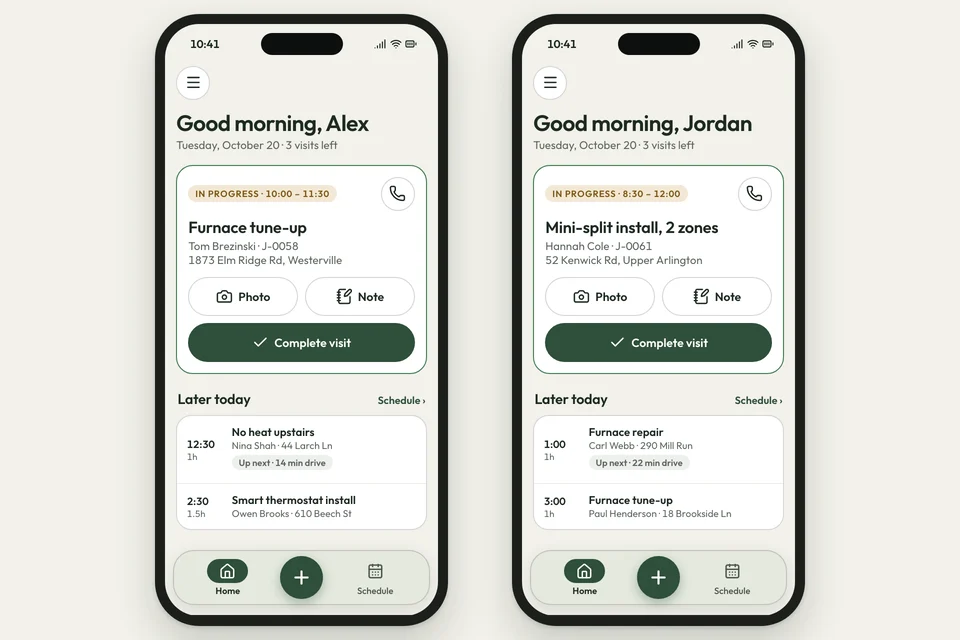
Each crew member opens their list on their phone: today, tomorrow or the week. Every visit has directions in a tap, the gate code and the customer's notes, like the trim color.
- Today, tomorrow and the week, on each phone
- Gate codes: the lockbox or gate note on the visit
- Notes: what the customer told you, read on site
At the door
The crew knows the house before they knock
The customer's been waiting since 8 and calls you to ask where the crew is. Your new hire has never been to this house.
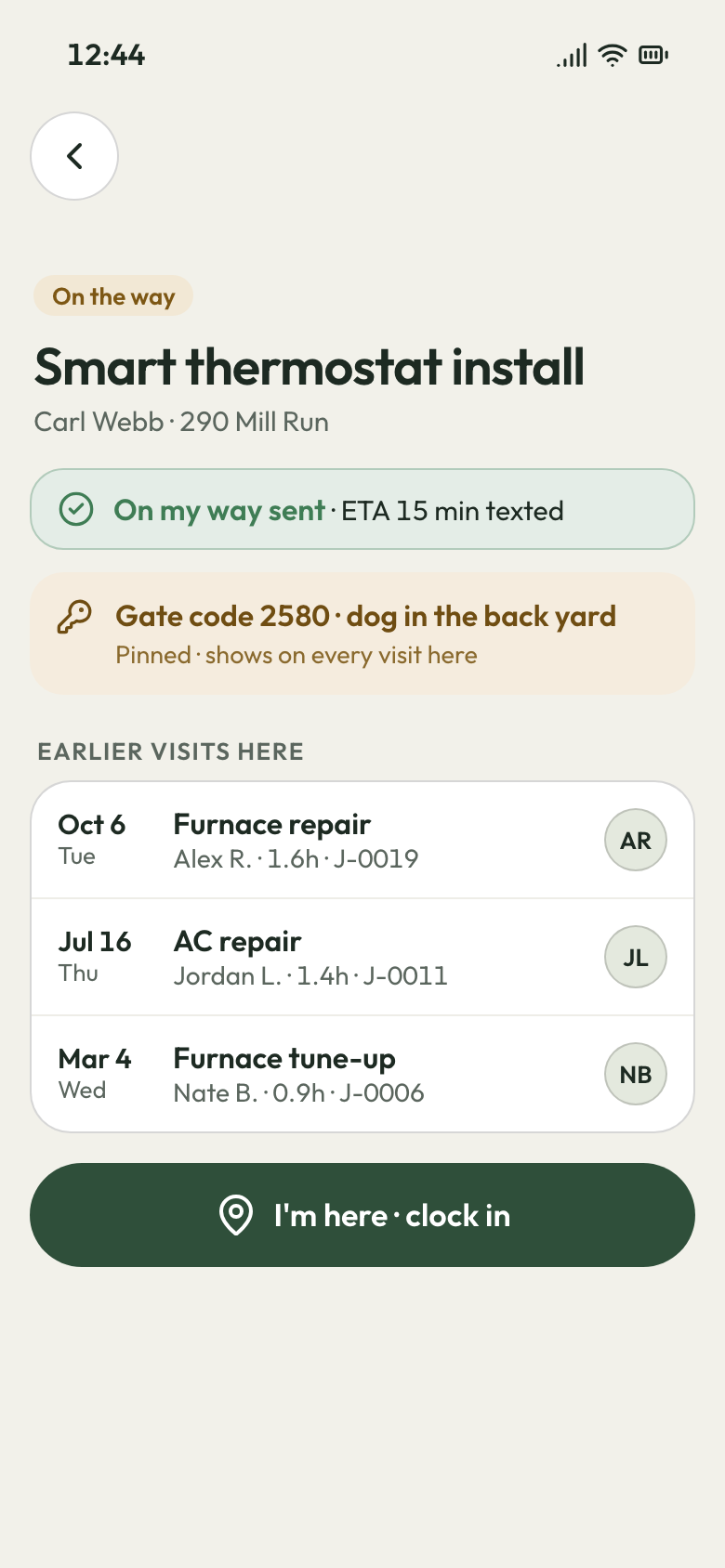
The crew taps On my way and picks an arrival time, from 5 minutes to an hour. The customer gets a text with that time. At the house, the visit lists the earlier visits there: when, what, and who went.
- On my way: the customer texted the crew's ETA
- House history: past visits, dates and who went
- Call or text the customer from the Android app
Visit details 9 PM
The day's tickets, written before they leave
After a 12-hour day, you're at the kitchen table writing up tickets and working out what each job used. The truck still needs restocking.
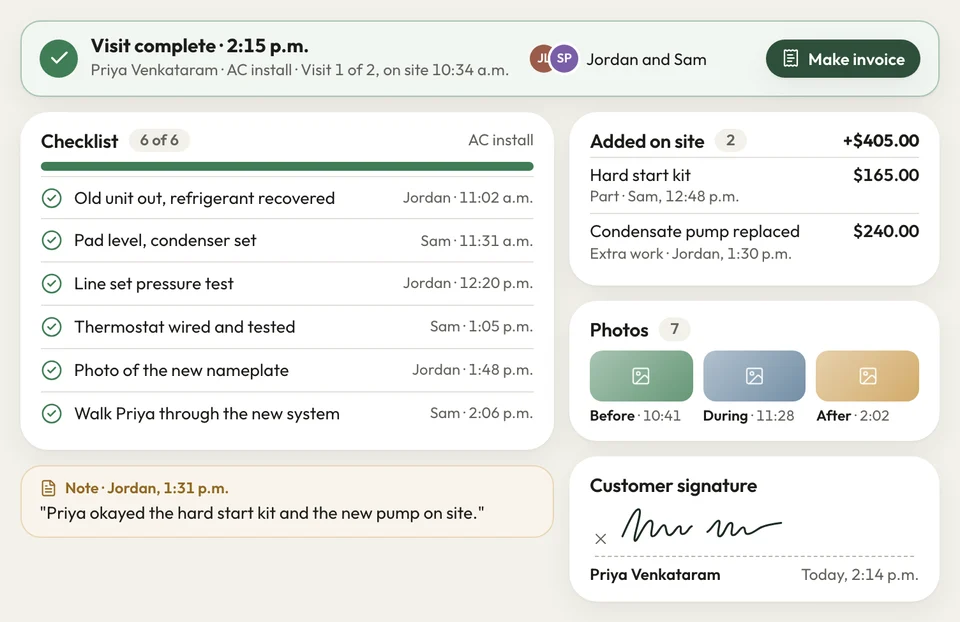
On site, the crew ticks the checklist and adds the parts and extra work as lines. They take the photos, get the customer's signature and mark the visit complete. On fixed-price jobs and jobs invoiced after each visit, their lines go onto the bill.
- Line items: parts and extra work added on site
- Signature: the customer signs off on the crew's phone
- Incomplete: marked with a note saying why
Visit complete


My painters called me every morning: which house, which color on the trim. Now it's all on their phones, and I'm out bidding by 8.
How it works
What the crew does at every visit
Open the day
Each crew member opens the Android app, or their own crew page link on an iPhone.
Head out
A tap on the address starts directions. Tap On my way, and the customer gets the arrival time by text.
Close it out
Tick the checklist, add the lines, get the signature and mark it complete.
Related features
Tied to every crew visit
Questions about the crew app
How does my crew get the app?
Can crew members with an iPhone use it?
Can my crew see my costs and margins?
Can the crew text the customer an arrival time?
Can the crew add extra work to the bill while they're on the job?

We do the setup
Your morning back. Crews at the right house.
We do the setup: your services and prices, your customers, each crew member's personal link to the crew app, and your website. Each crew member gets their own sign-in.
- Free trial, no card
- Month to month, cancel any time