
Bring them back
The crew drove out. Nobody was home.
Automated appointment reminders in JobsiteBooked go to each customer the day before a visit, then an hour before. Someone's home when the crew knocks, and a customer who can't make it replies before anyone drives out.
- Text and email at 3:30 PM the day before, then an hour out
- Your tech's ETA by text when they head over
- The new day and time sent whenever a visit moves
- Free trial, no card
- Month to month, cancel any time


Where it sits
Reminders sits in Bring them back
Land the job
Online booking · Estimates · Review requests · Marketing · Website
Run the job
Scheduling · Crew app · Job photos · Time tracking · Integrations
Bill the job
Invoicing · Payments · Expenses · QuickBooks sync · Reporting
Bring them back
Texting & inbox · Reminders · Customer portal · Customer list
Reminders
A forgotten visit costs you the drive
Three wasted trips, and the text that heads off each one.
Nobody home
Every customer hears about tomorrow at 3:30 PM
Your 2 PM customer forgot about the drain clearing and left for work. You knocked, called and waited, then drove off with an hour gone and nothing to bill.
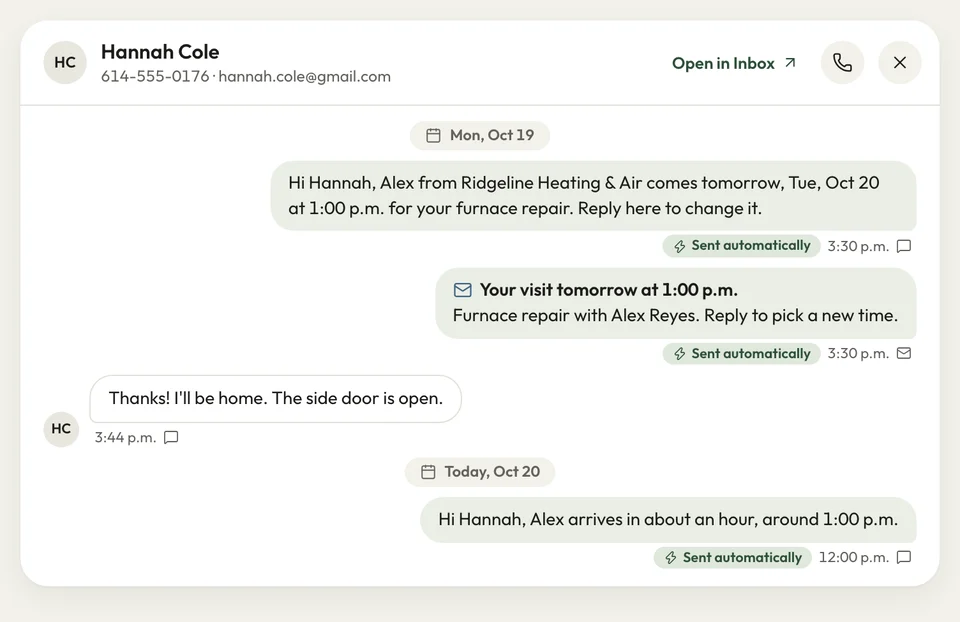
Every visit on your schedule sends the customer a text and an email at 3:30 PM the day before. Each one names the visit and its start time, and a second pair goes an hour before. A reply asking to move it lands in your inbox, so you know before anyone drives out.
- 3:30 PM the day before: by text and email
- An hour before: a second text and email
- Replies: in the inbox on your phone
Reminder sent Running late
The customer gets your tech's ETA
The first job ran an hour long, and your 11 AM customer gave up waiting and went out. You pull in at noon to a locked door.
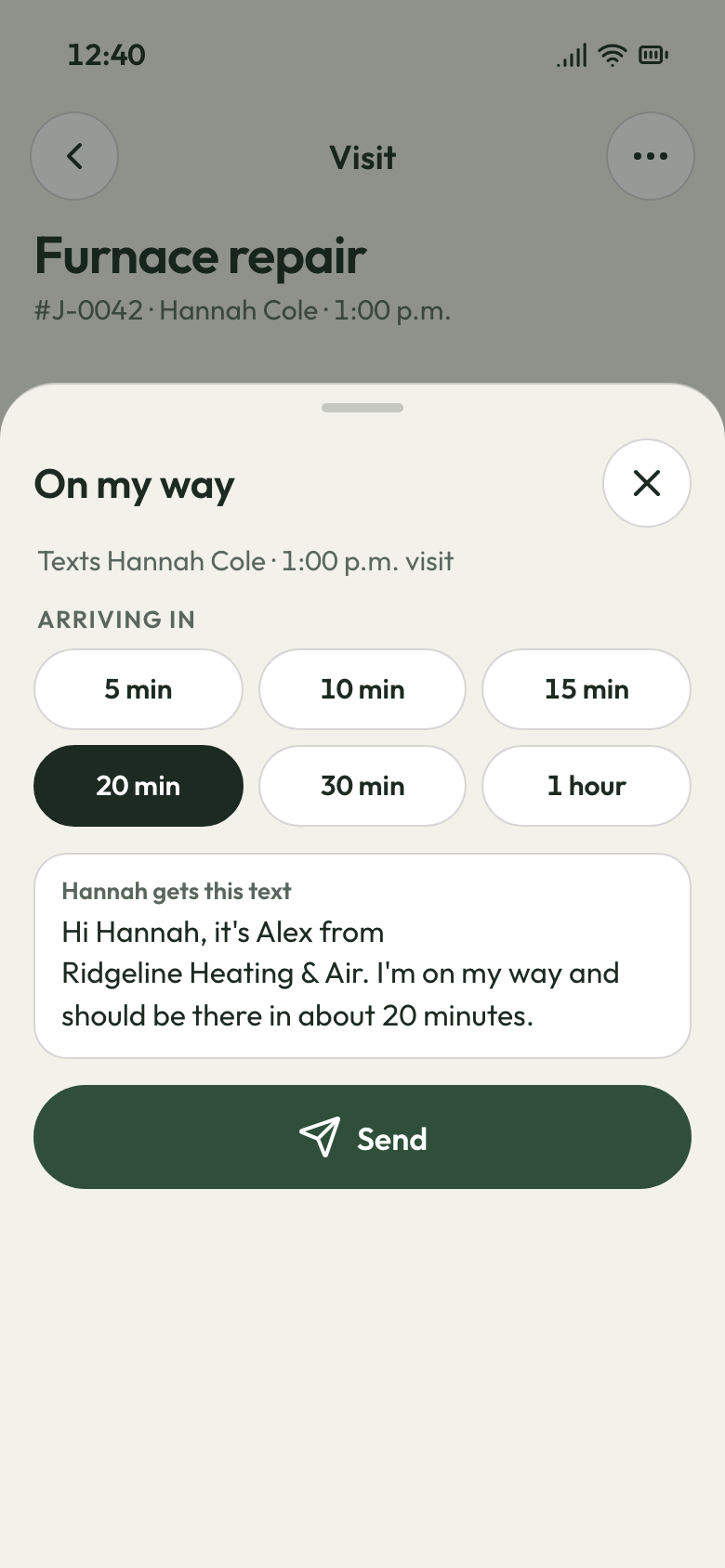
Your tech taps On my way as they leave and picks an ETA, from 5 minutes to an hour. They see the exact words before sending. The customer gets the arrival time by text, then by email, and is home to open up.
- On my way: one tap on the crew page or Android app
- Seven ETA choices: 5 minutes up to an hour
Crew on the way Rain day
Every moved visit sends its new time
Rain Tuesday and Wednesday, and Thursday's list now holds three days of jobs. You call people all evening, miss one, and that customer posts that the crew never showed.
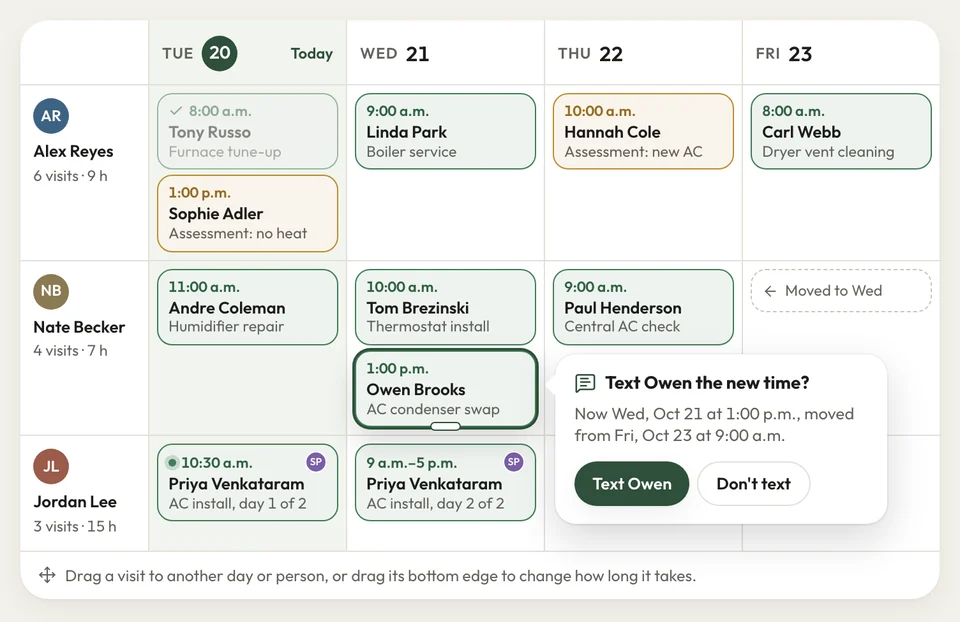
Drag each visit to its new day on the schedule. The customer gets a text and an email with the new time, like Thursday, November 12 at 1:00 PM. Jobs still waiting on a dry day sit in the schedule-later list until you date them.
- Rescheduled: the new day and time by text and email
- Schedule later: sold jobs waiting on a date
New time sent


Twice a week a tune-up customer wasn't home, and that slot was gone. Now they get a text the afternoon before, and the door opens when we knock.
How it works
How the customer knows you're coming
Book it
Put the job on your schedule and send the booking confirmation: the first visit, who's coming and the address.
Remind
At 3:30 PM the day before, and again an hour before, the customer gets a text and email.
Head over
Your tech taps On my way and picks an ETA, and the customer gets it by text.
Related features
Three tools beside the reminders
- See Texting & inbox
Texting & inbox
Reminder replies land in that customer's thread, answered from your phone.
- See Customer portal
Customer portal
Customers log in to check their next visit and pay invoices by card.
Marketing
Email and text offers go to past customers before the slow weeks.
Next: Land the jobSee Marketing
Questions about appointment reminders
Why send appointment reminders by text and email?
Are the reminders automatic?
Do customers get told when a visit is rescheduled?
Does it remind customers about unpaid invoices and open estimates too?
Can customers get a text when the crew is on the way?

We do the setup
Tomorrow's visits, reminded by 3:30 today
We do the setup: your services and prices, your customers, each crew member's personal link to the crew app, and your website. Put tomorrow's visits on the schedule, and the reminders go out this afternoon.
- Free trial, no card
- Month to month, cancel any time