
Land the job
Hours on the estimate. Then ghosted.
JobsiteBooked's estimate app for contractors shows you when the customer opens your price, then follows up twice for you. They weigh your three options, not the next bid, and sign on their phone.
- You see when they open it, so your call comes while they're deciding
- A text at 2 days, then a text and email at 5
- The deposit paid by card right after they sign
- Free trial, no card
- Month to month, cancel any time


Where it sits
Estimates sits in Land the job
Land the job
Online booking · Estimates · Review requests · Marketing · Website
Run the job
Scheduling · Crew app · Job photos · Time tracking · Integrations
Bill the job
Invoicing · Payments · Expenses · QuickBooks sync · Reporting
Bring them back
Texting & inbox · Reminders · Customer portal · Customer list
Estimates
Where a priced job slips away
Three moments between the walkthrough and the signature.
Shopped around
They compare your options, not three contractors
You spend Sunday night pricing a bathroom you walked Saturday. The homeowner has four more bids coming, and yours is one number among five.
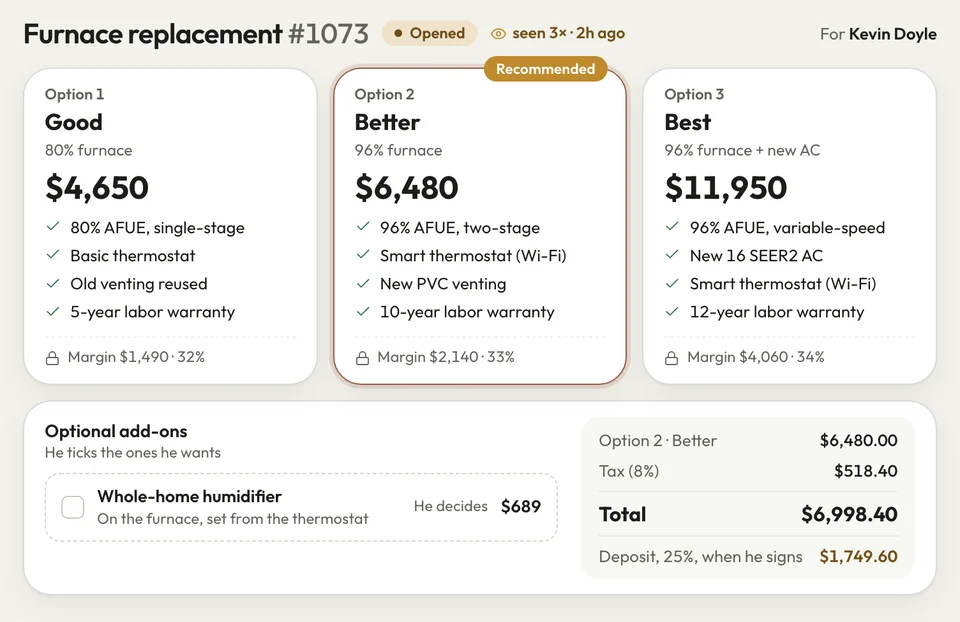
In the office, you build up to three options on one estimate, plus add-ons like a heated floor. Copy last month's bathroom or start from a saved template, and pricing takes minutes. The homeowner picks a level instead of shopping for a cheaper contractor.
- Options: up to three, plus add-ons they tick
- Templates: copy any estimate or start from a saved one
- Your margin: cost and markup only you see
Gone quiet
Follow-ups go out while you work
The roof is priced and sent, and the homeowner said they'd think about it. A week later you can't tell if they ever looked, and calling feels awkward.
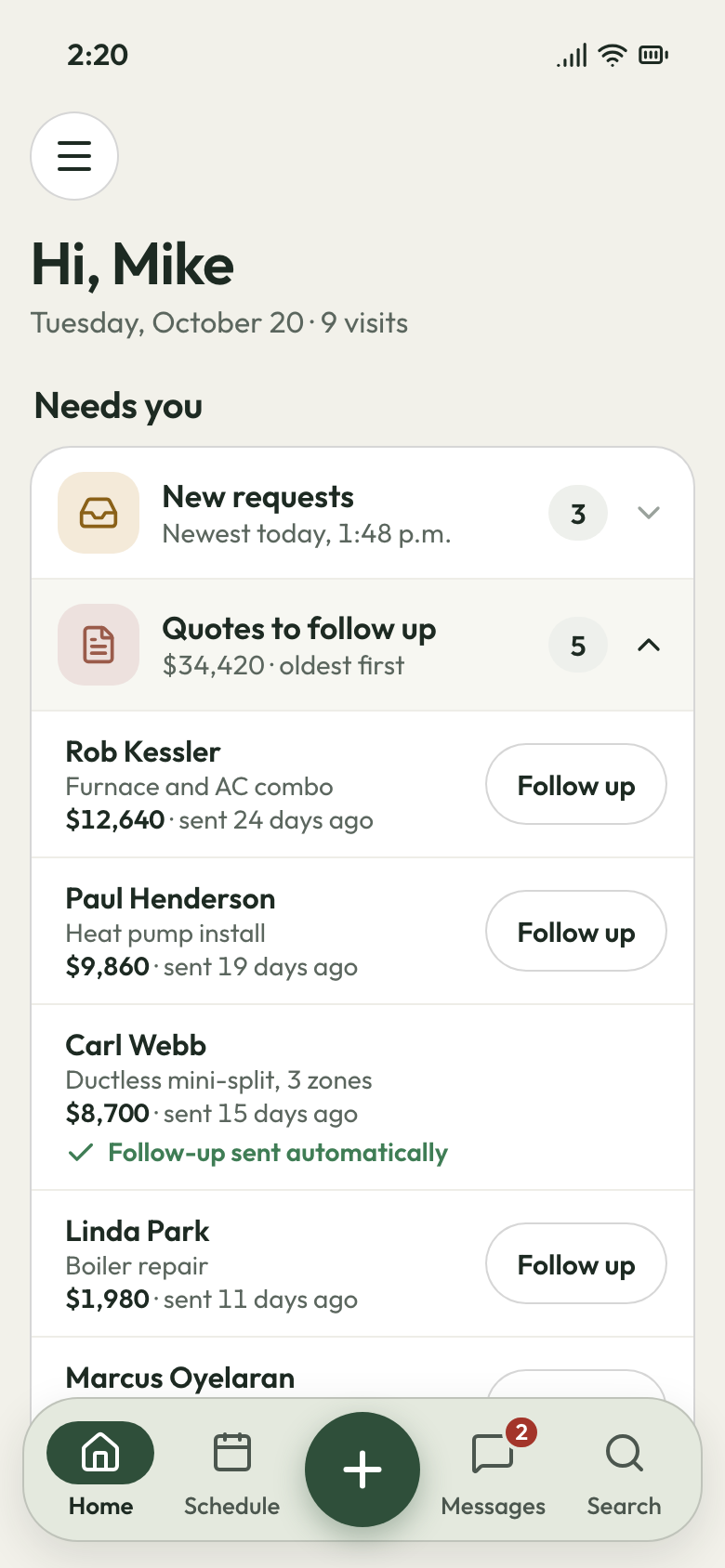
Your phone lists which estimates they've opened, so you know who looked and who didn't. If they haven't answered, a text goes at two days, then a text and email at five. Both stop the moment they sign.
- Opened: which ones they've looked at, on your phone
- Two nudges: day 2 by text, day 5 by text and email
- Expiry: an old price runs out; renew it in one click
Estimate opened The yes
Signed, with the deposit paid by card
They say yes on a call, but the deposit check takes a week to arrive. Until it does, you're buying materials on your own card.
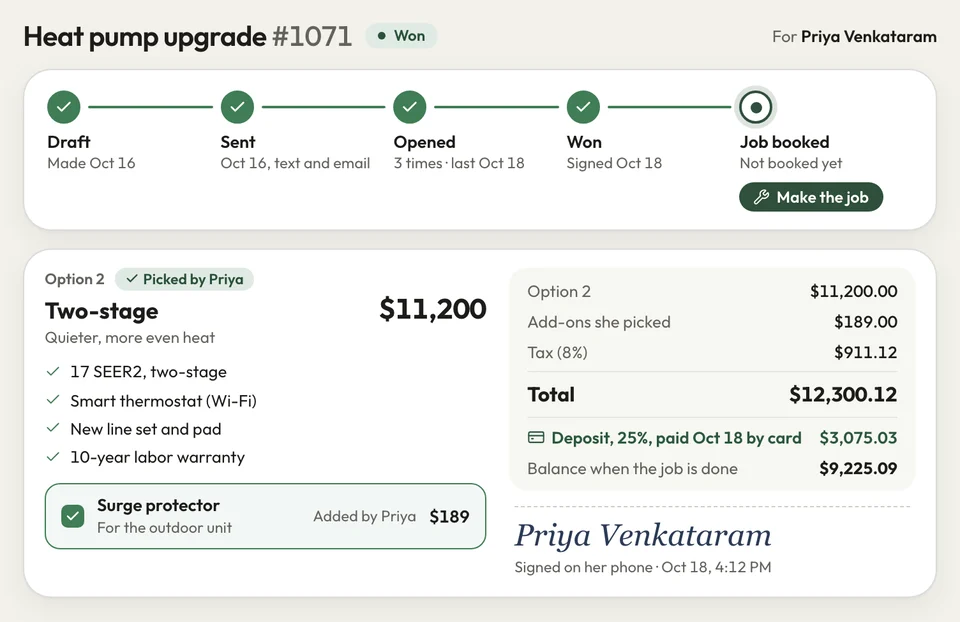
They open the link on their own phone, pick an option and add-ons, and sign with a finger. Sitting with you at their table, they sign on your tablet or laptop instead. The deposit is paid by card right after, and your final invoice subtracts it.
- Signed: on their phone, or your tablet or laptop
- Deposit: paid by card once they've signed
- Make the job: the final invoice, less the deposit
Signed, deposit paid


I'd lose a Sunday pricing a bathroom and never hear a word. Now I see when they open it, and the follow-ups ask for me. More of those bathrooms come back signed.
How it works
Three steps to a signed estimate
Build it
In the office, pick lines from your price list, add options and add-ons, or copy an old estimate.
Send it
Text or email the link. Both follow-ups are booked the moment it goes.
They sign
They sign on their phone and pay the deposit, and you turn it into the job.
Related features
What happens around the estimate
- See Online booking
Online booking
Customers book the walkthrough online and send photos before you price it.
- See Review requests
Review requests
A day after the job closes, the customer gets your Google review link.
Scheduling
Signed jobs wait in a list until you drag them onto a day.
Next: Run the jobSee Scheduling
Before you send your next estimate
Can customers approve and sign the estimate on their phone?
Can I give good, better and best options and add-ons on one estimate?
Does it follow up on estimates automatically?
Can I take a deposit when the customer signs?
Can I save templates so I'm not starting from scratch?

We do the setup
Next week's estimates, followed up for you
We do the setup: your services and prices, your customers, each crew member's personal link to the crew app, and your website. Your price list goes in before your first estimate goes out.
- Free trial, no card
- Month to month, cancel any time