
JobsiteBooked for general contractors
Five jobs open. Five homeowners want updates.
JobsiteBooked is software for small general contracting businesses: each homeowner gets one link to their job's latest photos. Your crew's photos keep it current, so evenings stop going to recap calls.
- Free trial, no card
- We do the setup
- Month to month

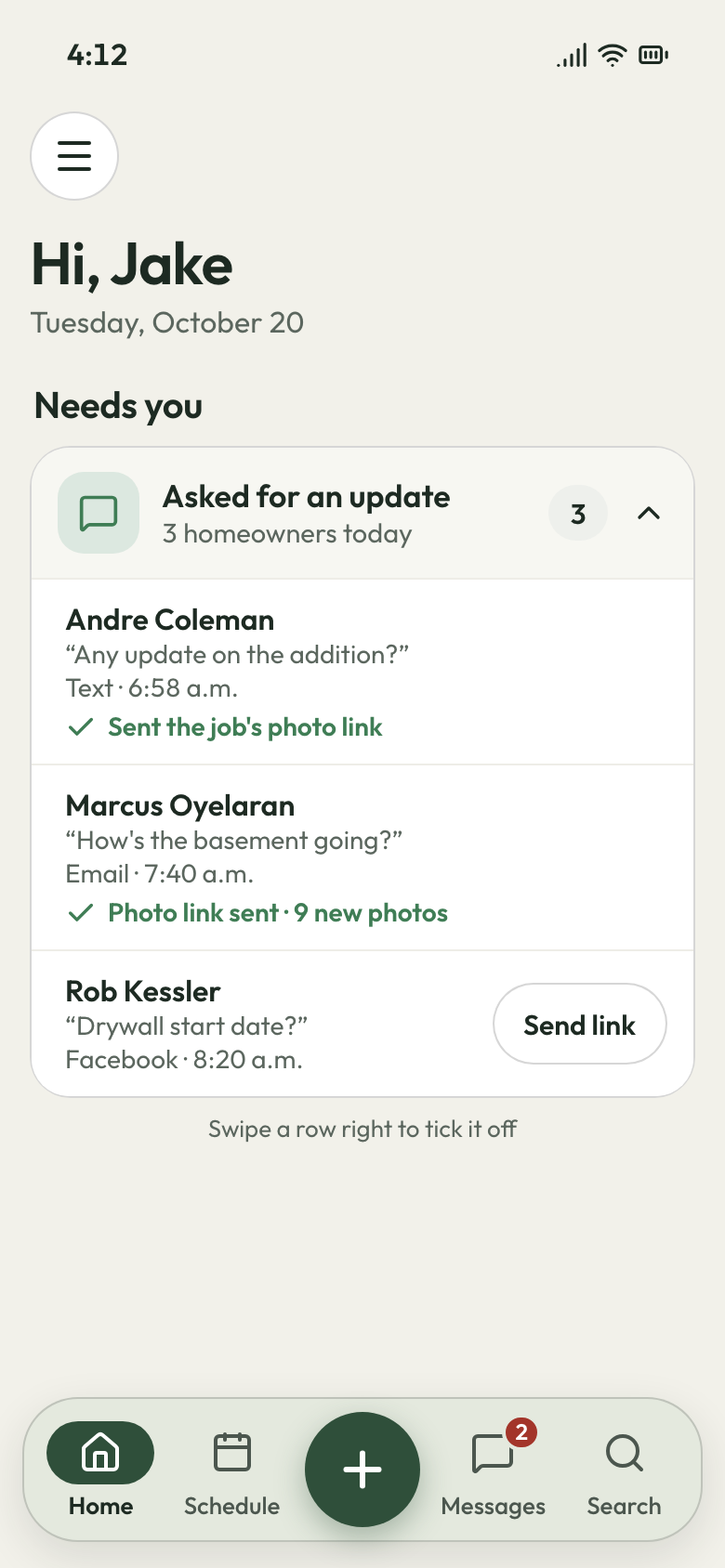
- "Any update on the addition?" 6:58 AM Answered with the job's photo link
- Drywall moved to Thursday 7:25 AM Inspection slipped; new day texted
- Rough-in photos on the link 8:10 AM Basement finish, from the crew's phone
Features for general contractors
The tools behind every job site you run
Open a tab to see it on an addition or a basement finish.
Land the job
Estimates
The designer wants a revised number three weeks later. Copy the bid, change what moved, and check your margin before it goes back.
- Your margin: cost, markup and margin, shown only to you
- Sign in person: on your laptop at their kitchen table
- Deposit: paid by card once they approve

Land the job
Online booking
A drive across town to bid a tire kicker. Homeowners send photos and the address first, or book a site visit from your website.
- Request form: photos, preferred times and how they found you
- Site visits: booked on your calendar with the address
- Round robin: visits shared between you and your estimator

Land the job
Review requests
Referral clients read your reviews before they call. Every closed job sends the homeowner your Google review link.
- Your review link by email the day after closeout
- A follow-up text three days after
- Home: new reviews counted on your dashboard

Land the job
Marketing
Winter goes quiet between builds. Send past clients a round-up of finished additions by email or one bulk text.
- Email campaigns: past clients, with photos of recent builds
- Bulk text: one message to everyone you've built for
- Lead sources: realtor, designer or Google, on each request

Land the job
Website
Homeowners check your past builds before they call. We build your website at setup, with finished builds and site-visit booking.
- Showcase: finished builds from your job photos
- Website chat: the AI front desk answers it when you're on site
- No web designer to find or pay
Run the job
Scheduling
A sub no-shows, and the whole week slides. Drag the visits back, and the homeowner gets each new day by text.
- Schedule later: work waiting on trusses or an inspection
- Map: each day's sites ordered by distance
- Three carpenters on one framing day

Run the job
Crew app
Your lead carpenter calls at 7 for the lockbox code. Each site's code, notes and history are on the crew's phones.
- Today, tomorrow, this week: each person's sites in a list
- Directions: one tap to the site
- iPhone crews use the crew page, no download

Run the job
Job photos
The drywall goes up and hides the plumbing. The crew shoots every open wall first, tagged on that visit.
- During: rough-in photos before the walls close
- Draw on a photo: mark where the stack runs
- Photo report: the whole build as a PDF

Run the job
Time tracking
Four sites open, and nobody knows where the hours went. Each crew member clocks in and out of every visit.
- Per job: each build's hours, costed in its profit
- Approve: the week's timesheet, then download the CSV
- Clock-in from the crew page in any phone's browser

Run the job
Integrations
Your estimator keeps site visits in Google Calendar. Visits sync both ways, and Gmail or Outlook threads come in too.
- Google Calendar: two-way, for you and your estimator
- Gmail or Outlook: your email, both directions
- Zapier: links the other apps you pay for
Bill the job
Invoicing
Billing waits until Sunday night. Each final invoice starts from its job, with the deposit already taken off.
- Batch: invoice several finished jobs at once
- Late fee: set it once for every overdue invoice
- Terms: due on receipt, set once

Bill the job
Payments
A five-figure final sits unpaid for a week. The homeowner pays it by card from the text link, or from their bank.
- Bank transfer: US homeowners pay a big bill from their bank
- Deposit: by card on the page they signed
- Portal: open invoices paid from their own login

Bill the job
Expenses
Lumber, the dumpster and permits eat the margin out of sight. Each receipt goes on its job from the office computer.
- Permit fees: counted against that build
- Receipt photo: filed with the job
- Job profit: each build's margin with receipts counted

Bill the job
QuickBooks sync
Retyping invoices into QuickBooks on Sunday. Once sent, each invoice and its payment go to QuickBooks Online, and customers sync both ways.
- Sent invoices: and their payments, into QuickBooks Online
- Your bookkeeper's file stays where it is
- Connected once, at setup
Bill the job
Reporting
Five jobs open, and you can't say who's behind on paying. Money owed lists every balance and how old it is.
- Days late: each overdue invoice, worst first
- Job profit: what each build made after costs
- Sales tax: by rate, across every build

Bring them back
Texting & inbox
Homeowners text you, email the office and message on Facebook. It all lands in one inbox, and texts get answered from your phone.
- Business line: calls ring the Android app
- Missed call: call back or start a request, one tap
- AI front desk: takes the details and books a site visit

Bring them back
Reminders
The homeowner forgot the crew starts Monday. A reminder goes the day before at 3:30 PM, and again an hour before.
- On my way: the crew's ETA by text
- Rescheduled: the new day, sent for you
- Booked: a confirmation when a site visit is set

Bring them back
Customer portal
Clients ask for the contract and files again. They log in to see them, plus every invoice and upcoming visit.
- Contracts, files and appointments under your logo
- Pay an invoice by card, or request the next job
Bring them back
Customer list
A realtor sends you three houses a year. Each property sits under that one customer, with its own jobs.
- Properties: each house's jobs and visits
- Pinned note: the lockbox code and where to park
- Tags: realtor, designer, past client

Running the jobs
Where a GC's week goes sideways
The 'any update?' texts, the sub who didn't show, and the bid that went quiet.
7 AM, then 5 PM
The photos answer "any update?"
The homeowner on the addition texts at 7 for an update, then again at 5. Four more jobs are running, and your evenings go to recaps.
Turn on the job's photo link once and send it. Each photo your crew takes on a visit shows up there, by day, marked Before, During or After. The same link rides along on the job's invoices. When they still text, it lands in one inbox you answer from your phone.
- Photo link: the job's latest photos, any time
- On the invoice: the same link, in the notes
- One inbox: texts, email and Facebook together
Monday, 7 AM
The week moves, and the homeowner hears first
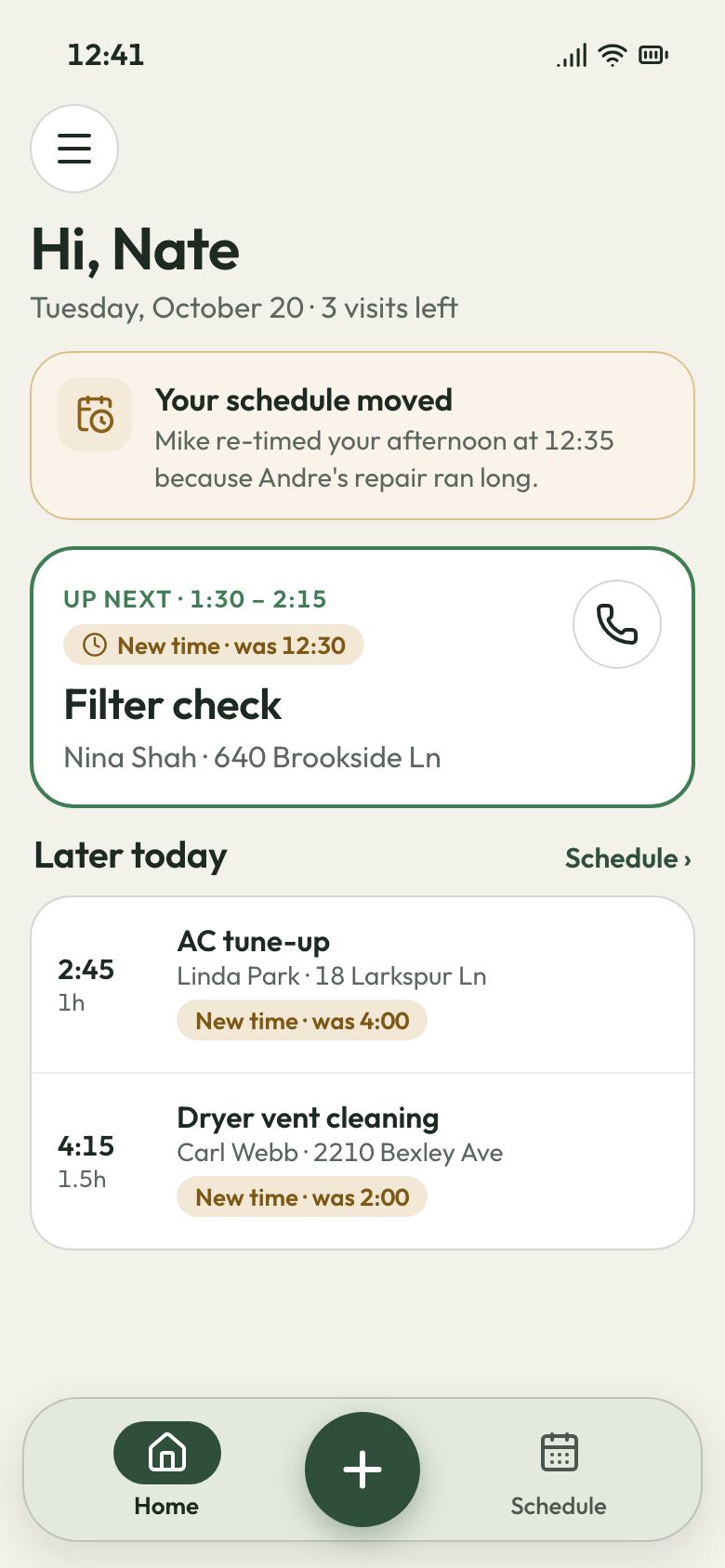
The tile setter texts that they're stuck on another job. Your carpenters are booked behind them, and the homeowner wants to know why nobody's there.
Drag the visits on the week view, and the homeowner gets a text with each new day. Work waiting on the sub or the inspector sits in the schedule-later list until it has a date. Your carpenters open the crew page and see today's site, directions and the lockbox code.
- Rescheduled text: the homeowner gets the new day
- Schedule later: waiting on a sub or the inspector
- Crew page: today's site, directions and codes
Three weeks later
The revised bid starts from the first one
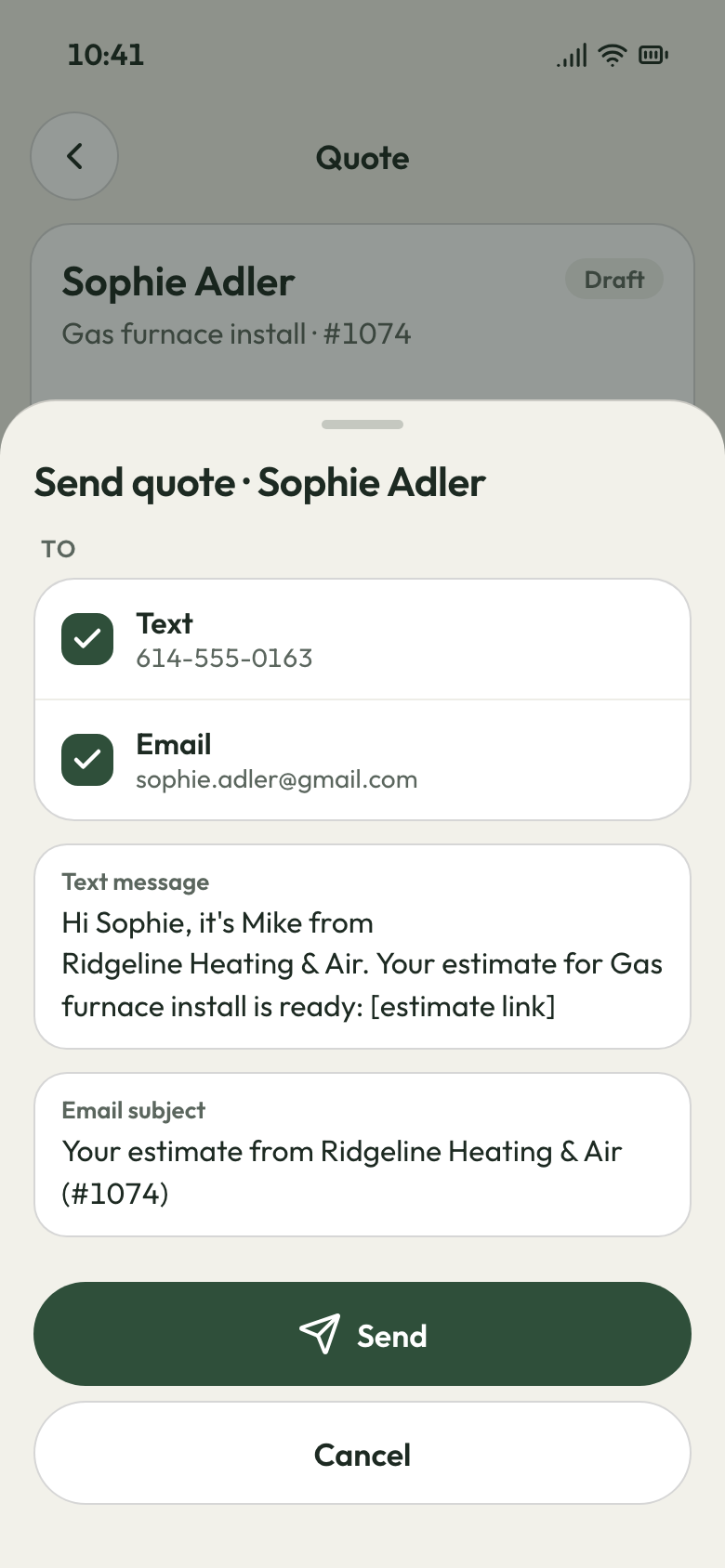
You spent two evenings pricing an addition from the designer's plans. Three weeks of silence, then: 'can you send a revised number?'
Copy the estimate, change what moved, and check your margin before it goes back. Only you see cost and markup. An expiry date keeps last spring's lumber price from getting signed, and renewing takes one click. When the homeowner is ready at the kitchen table, they sign on your laptop.
- Copy estimate: the revision starts from the original
- Viewed: you know when the designer opened it
- Expires: on the date you set, so no stale lumber prices


Beat the homeowner's 7 AM text
We load your customers and prices at setup, so your next job runs in JobsiteBooked. Month to month, cancel any time.
What contractors say

Carlos S.General contractor 40 → 150Google reviews in a yearWe went from 40 Google reviews to over 150 in a year, and nobody had to ask a customer by hand.

Luis M.HVAC service Every seasontune-ups rebookedTune-up customers get put back on the schedule every season, and I don't lift a finger.

Mike D.Remodeling contractor Halfsigned before I'm homeI used to write estimates at the kitchen table at night. Now I send them from the truck, and half get signed before I'm home.

Dave P.Handyman Zeromissed callers left waitingIf my phone rings while I'm on a ladder, the caller gets a text from my business number before I climb down. Half the time they've picked a slot by then.

Tom R.Painting company 7 a.m.calls stoppedMy crew opens their phone and sees the whole day: addresses, notes, what to load. The 7 a.m. calls stopped.

Jake K.Flooring installer From a textinvoices paidCustomers pay the invoice from a text before we've finished loading the truck.


Why general contractors switch
Costs a small GC stops carrying
Floating the job
They sign, then pay the deposit by card right there, before you order a stick of lumber.
The explaining call
When a visit moves, the homeowner gets the new day by text before they think to call.
The bid nobody answered
You see when it was opened, and follow-ups go at 2 and 5 days.
Questions from small general contractors
What software should a small general contractor use?
Does JobsiteBooked fit a GC with a small crew?
Can I run several builds at once in JobsiteBooked?
What do you do with old estimates that never closed?
Is there an app for my crew, and does it work with QuickBooks?
Can homeowners follow the job without calling me?
We do the setup
Your crew's photos give the update.
We do the setup: your services and prices, your customers, each crew member's personal link to the crew app, and your website. You stay on site.
- Free trial, no card
- Month to month, cancel any time