
JobsiteBooked for HVAC contractors
Busiest July yet. Where's the profit?
JobsiteBooked is the go-to software for small HVAC businesses: you see what every job made, without late nights on paperwork. Parts, job receipts and your techs' hours all go on the job, so you know the profit down to the dollar.
- Free trial, no card
- We do the setup
- Month to month

- Job profit: $1,840 7:42 AM Elm St change-out, parts and hours in
- AC tune-ups on the schedule 9:06 AM Set up once last spring, back this year
- Change-out estimate signed 9:30 AM Best option, deposit paid by card
Features for HVAC contractors
The tools an HVAC week runs on
Tap one to see it on a no-cool call, tune-up or change-out.
Land the job
Estimates
Replacement quotes go quiet while the homeowner gets two more. Yours has three systems, a deposit at signing and two follow-ups.
- Good, better, best: three systems plus a surge protector or thermostat
- Viewed: you see the moment it's opened
- Owner-only margin: cost and markup your techs never see

Land the job
Online booking
Homeowners shop for a tune-up at 10 PM, when nobody answers. They book a fixed-price visit on your site, or ask you to come look.
- Fixed-price tune-ups: picked and booked online
- Request form: the problem, a unit photo and the times that suit them
- Round robin: assessment visits shared out across your techs

Land the job
Review requests
A busy July brings work but few new reviews. Each job you close sends the homeowner a review request.
- An email with your Google review link the day after the job closes
- A text nudge 3 days later
- Every tune-up and repair asks, not just the change-outs

Land the job
Marketing
The phones go quiet in October. Send a fall tune-up offer to past customers by text and email.
- Spring and fall: AC and furnace tune-up offers to everyone you've served
- Bulk text: one message to every past customer
- Lead sources: see where each request came from

Land the job
Website
Homeowners pick whoever they can book at night. We build your website, with online booking, as part of setup.
- After hours: the AI front desk answers the chat
- Website chat: you answer it from your phone
- Built by us at setup, no web company to hire
Run the job
Scheduling
The heat wave wrecks the schedule by 9 AM. Drag the no-cool call onto the closest tech's day.
- Map: each tech's calls, ordered by shortest distance
- Schedule later: tune-ups wait in a list for an open slot
- Two techs on one change-out, with an arrival window for the homeowner

Run the job
Crew app
Techs call you for the gate code and what was done last time. Each one sees the property's history on the job.
- On my way: the homeowner gets a text with the ETA
- Parts on site: the capacitor and contactor added as lines
- Android app, or the crew page in any phone's browser, iPhone included

Run the job
Job photos
Homeowners can't see inside their furnace. Send them the cracked heat exchanger in a photo report or a link.
- No signal: basement photos upload by themselves on Android
- Photo report: a PDF, or a link to the job's photo timeline
- Draw on a photo: circle the crack so they see it

Run the job
Time tracking
A change-out runs a day over and nobody knows why. Techs clock in and out of every visit, and their visit note says what happened.
- Job profit: those hours at your labor rate
- Visit notes: a line set swapped, a part on back order
- Payroll: approve the week's hours, then download them as a CSV

Run the job
Integrations
Techs call to ask where they're headed next. Now they check their day on the crew page, and the office's Google Calendar syncs both ways.
- Bookings in the office's Google Calendar, both ways
- Homeowner emails through your Gmail or Outlook
- Zapier: links JobsiteBooked to the rest of your tools
Bill the job
Invoicing
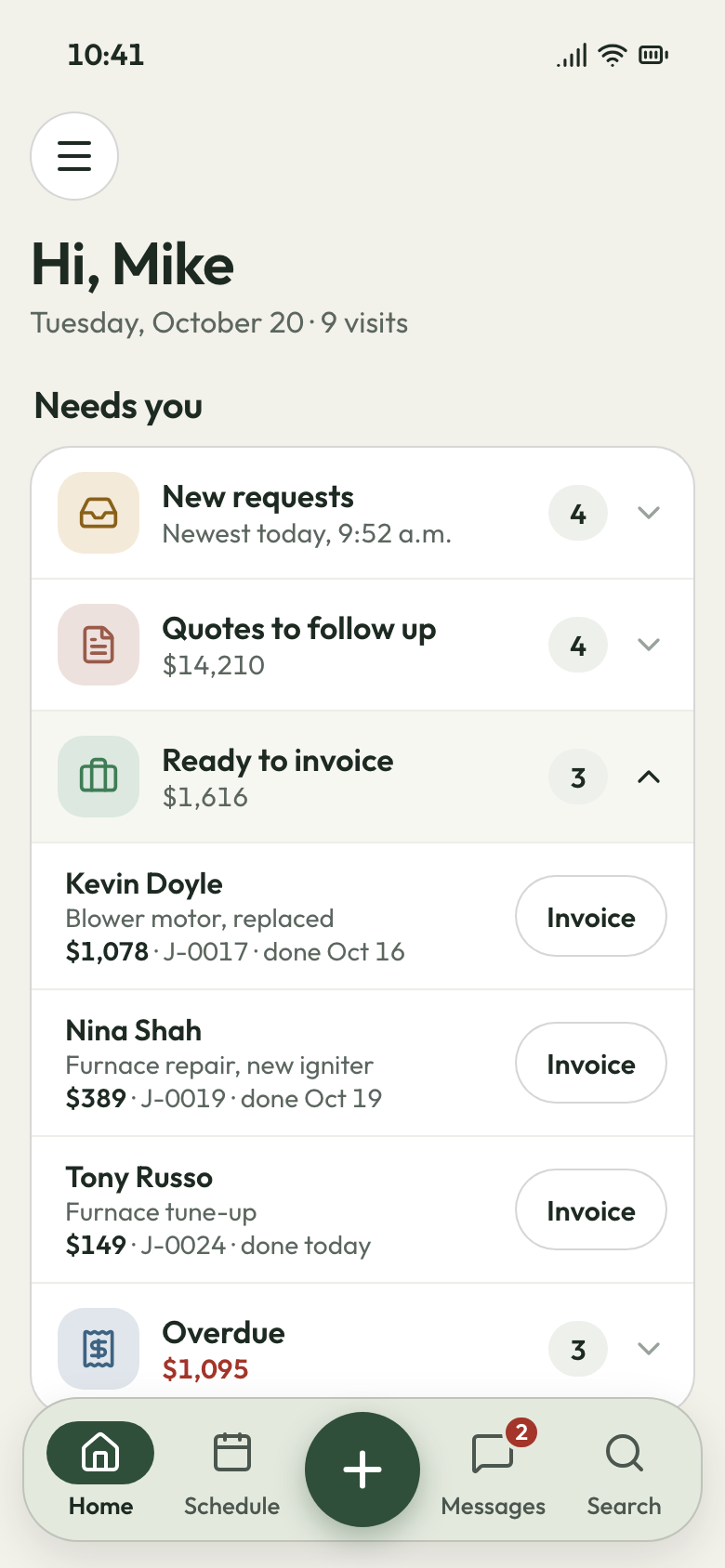
Turning tickets into invoices at 9 PM. The invoice comes from the job, with the parts the tech added.
- Per-visit billing: drafted when the tech marks the visit complete
- Invoice per job, per visit, in a batch or by the month
- Terms: due on receipt, with a late fee if you want one

Bill the job
Payments
Three checks still out when the supply house bill is due. Homeowners pay by card from a text or their portal.
- A pay-by-card link on every invoice, by text and email
- Bank payments: US homeowners can pay straight from the bank
- Change-out deposits paid by card right after signing

Bill the job
Expenses
Parts eat a change-out's margin and nobody sees it. Each job receipt goes on its job, with a photo.
- Receipt photo: kept with the job, not lost in the truck
- Permit fee: counted against that change-out
- Job profit: parts set against what you billed

Bill the job
QuickBooks sync
Retyping invoices into QuickBooks after dinner. Each invoice and payment syncs to QuickBooks Online.
- Sent invoices, payments and customers; customers come in too
- Your bookkeeper keeps working in QuickBooks
- Connected during setup
Bill the job
Reporting
Busy all summer, short at month's end. See who owes you, for how long, and each job's margin.
- Money owed: every unpaid invoice and how old it is
- Job profit: revenue less parts, labor and expenses
- Sales tax: totals by rate

Bring them back
Texting & inbox
Homeowners text a photo of the blank thermostat, or message you on Facebook or your website chat. You answer each from the inbox on your phone.
- Business line: shop calls ring the Android app
- Missed calls: call back, text first or start a request, one tap each
- AI front desk: answers calls, chat, email and Facebook when you can't

Bring them back
Reminders
The tech knocks and nobody's home. Texts go the day before and an hour before.
- The day before at 3:30 PM, then an hour before
- On my way: the tech's ETA, so someone opens the door
- Rescheduled: the homeowner gets the new time by text

Bring them back
Customer portal
Homeowners call to ask what they owe. They log in to see and pay invoices and request the next tune-up.
- Invoices, files and upcoming visits under your name and logo
- Homeowners pay by card or request work from their login
Bring them back
Customer list
A landlord with four rentals calls about the one on Pine. Every property sits under one customer, with its history.
- Many properties per customer, each with its own past visits
- Pinned note: the filter size, the dog, the side gate
- Tags: mark your maintenance agreement customers

The busy season
Where an HVAC week gets away from you
The month's numbers, the nights and the phones, and what changes in each.
Month end
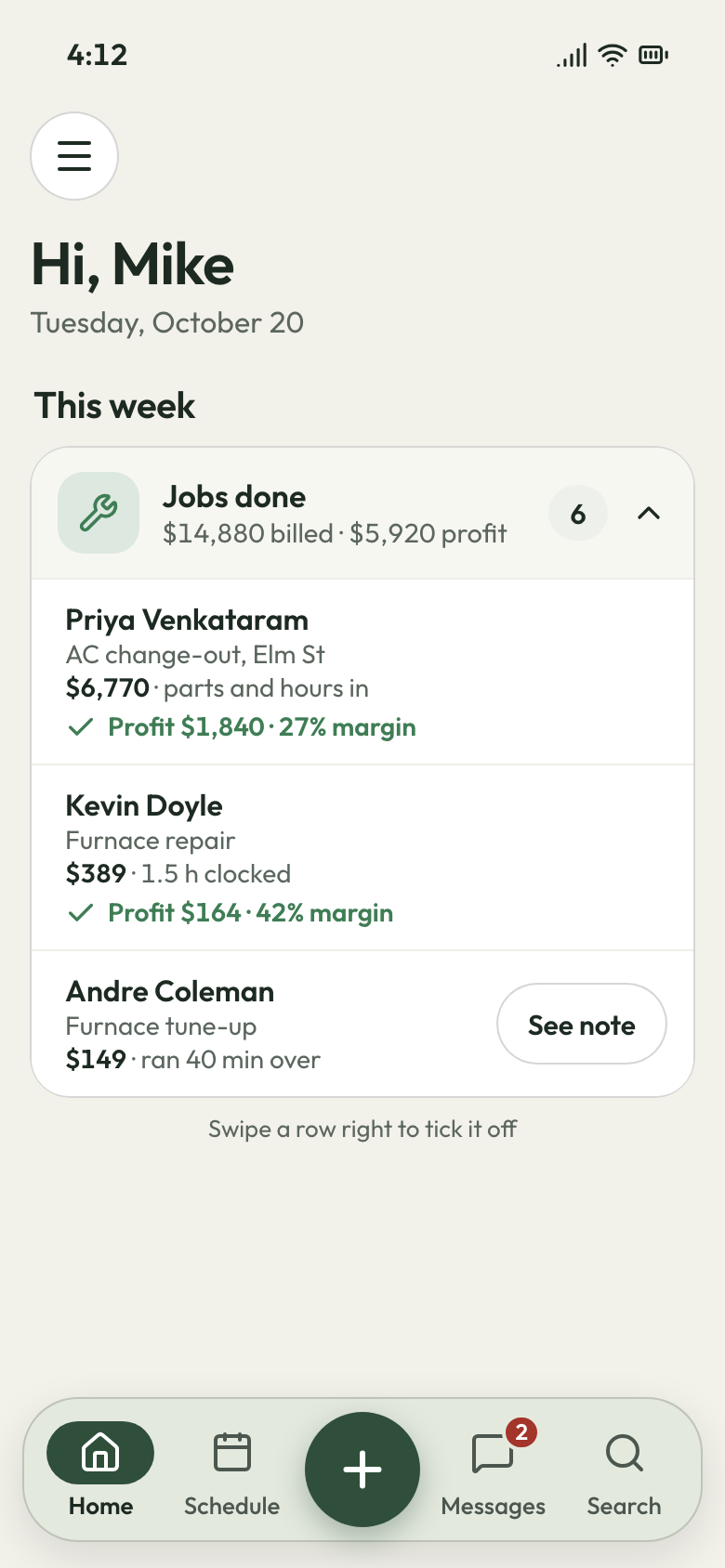
Every job's profit, to the dollar
The busiest month of the year, and the account ends it lower than it started. The supply house took its share, and you can't say which jobs made money.
Every part your tech picks from your price list counts at the cost you set. Job receipts go on the job from the office computer. Techs clock in and out of each visit, so their hours count at your labor rate. A callback is a return visit on the same job, so its cost comes off that job's profit. When a change-out runs long, the tech's visit note says why, like an old line set that wouldn't hold pressure.
- Job profit: revenue less parts, labor and expenses
- Clocked visits: each tech's hours at your labor rate
- Visit notes: the tech says why a job ran over
8:30 PM, kitchen table
The tickets come home already written
Your last call ends at 6. Then it's tickets, invoices and QuickBooks at the kitchen table until 10.
Each tech ticks the checklist, adds the parts, takes the photos and gets the homeowner's signature on their phone. When they mark the visit complete, per-visit billing drafts the invoice for you to check and send. The homeowner pays by card from a text, and invoices and payments go over to QuickBooks Online.
- Crew app: checklist, parts, photos and signature
- Per-visit billing: the invoice drafted when the visit closes
- QuickBooks Online: sent invoices, payments and customers
The heat wave
The caller gets an assessment, not voicemail
The first 95-degree week, you're swapping a blower motor in an attic and the phone buzzes six times. By the time you call back at 7 PM, two have booked whoever answered.
The AI front desk answers and sorts the call: repair, tune-up or new system. It takes the name, address and problem, then books an assessment on your calendar. A caller who smells gas is told to leave the house and call 911 or the gas company. Homeowners who'd rather not call book a tune-up on the website we build.
- AI front desk: calls, website chat, email and Facebook
- Assessment booked: on your calendar, with the problem written down
- Online booking: fixed-price tune-ups on the website we build



Fill the shoulder season before it starts
Set each customer's spring and fall tune-up once, and it comes back every season. We do the setup, and it's month to month.
What contractors say

Luis M.HVAC service Every seasontune-ups rebookedTune-up customers get put back on the schedule every season, and I don't lift a finger.

Carlos S.General contractor 40 → 150Google reviews in a yearWe went from 40 Google reviews to over 150 in a year, and nobody had to ask a customer by hand.

Mike D.Remodeling contractor Halfsigned before I'm homeI used to write estimates at the kitchen table at night. Now I send them from the truck, and half get signed before I'm home.

Dave P.Handyman Zeromissed callers left waitingIf my phone rings while I'm on a ladder, the caller gets a text from my business number before I climb down. Half the time they've picked a slot by then.

Tom R.Painting company 7 a.m.calls stoppedMy crew opens their phone and sees the whole day: addresses, notes, what to load. The 7 a.m. calls stopped.

Jake K.Flooring installer From a textinvoices paidCustomers pay the invoice from a text before we've finished loading the truck.


Why HVAC contractors switch
Three costs a small shop stops paying
The call that went elsewhere
Homeowners book on the website we build at night, and a missed call becomes a request in one tap.
The empty shoulder season
A tune-up offer goes to past customers by email and text, and repeat visits are already on the schedule.
The drive to the bank
Invoices carry a pay-by-card link, and overdue reminders go by email every 3 days, three times.
Questions from small HVAC shops
What software should a small HVAC company use?
Does it work with QuickBooks Online?
Is there an app for my techs, even ones who aren't good with technology?
How much does HVAC software cost?
How do I track customers who are due a tune-up?
Can I show good, better and best options on one quote?
Set up by us
Ready before the phones start ringing.
We do the setup: your services and prices, your customers, each crew member's personal link to the crew app, and your website. You keep running calls.
- Free trial, no card
- Month to month, cancel any time