
Land the job
Happy customers. Hardly any reviews.
JobsiteBooked's review request app emails every customer your Google review link a day after the job closes. A text follows 3 days later, so more homeowners find you on Google, not through a lead app.
- Every closed job asks, the faucet swaps too
- An email the next day, one text 3 days later
- Your Google review link, put in by us at setup
- Free trial, no card
- Month to month, cancel any time


Where it sits
Review requests sits in Land the job
Land the job
Online booking · Estimates · Review requests · Marketing · Website
Run the job
Scheduling · Crew app · Job photos · Time tracking · Integrations
Bill the job
Invoicing · Payments · Expenses · QuickBooks sync · Reporting
Bring them back
Texting & inbox · Reminders · Customer portal · Customer list
Review requests
Why good work doesn't show up on Google
Where the review gets lost, and what asks for it now.
Lead apps
Homeowners find you, not a shared lead
You buy a lead at 7 a.m., and four other contractors call it by 9. The job goes to the lowest number, and the fee is gone either way.
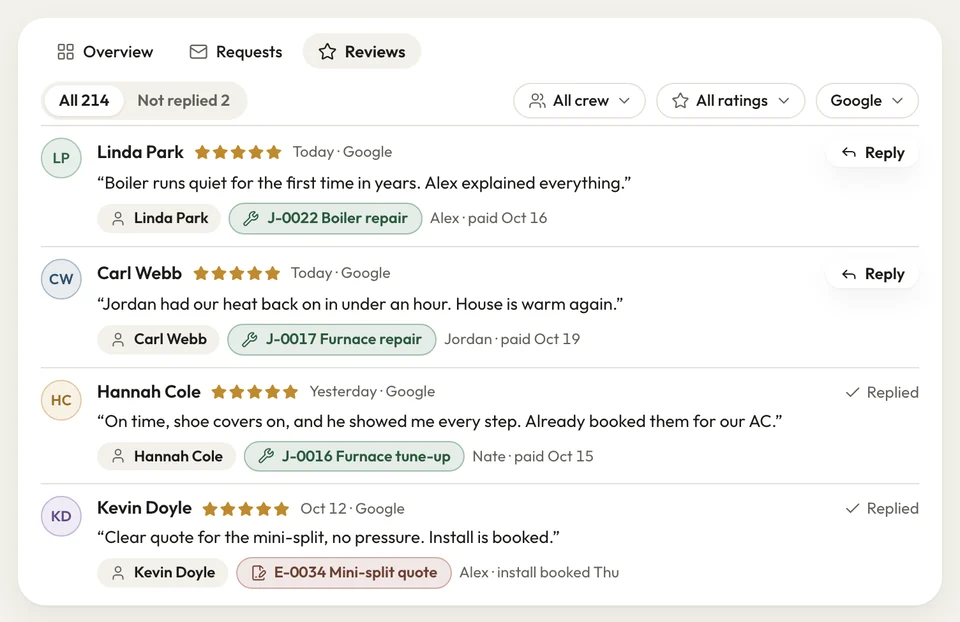
Homeowners in your town check Google reviews before they call anyone. Every job you close sends that customer your review link, so the reviews grow with the work. Every new job request records how the customer found you, so you see Google overtake the apps.
- Every job asks: big jobs and small ones
- Lead source: how each customer heard about you
At the door
Nobody on the crew has to ask
The customer is thrilled at the door, and you mean to mention a review. You're late for the next stop, so you don't, and a week later they've forgotten.
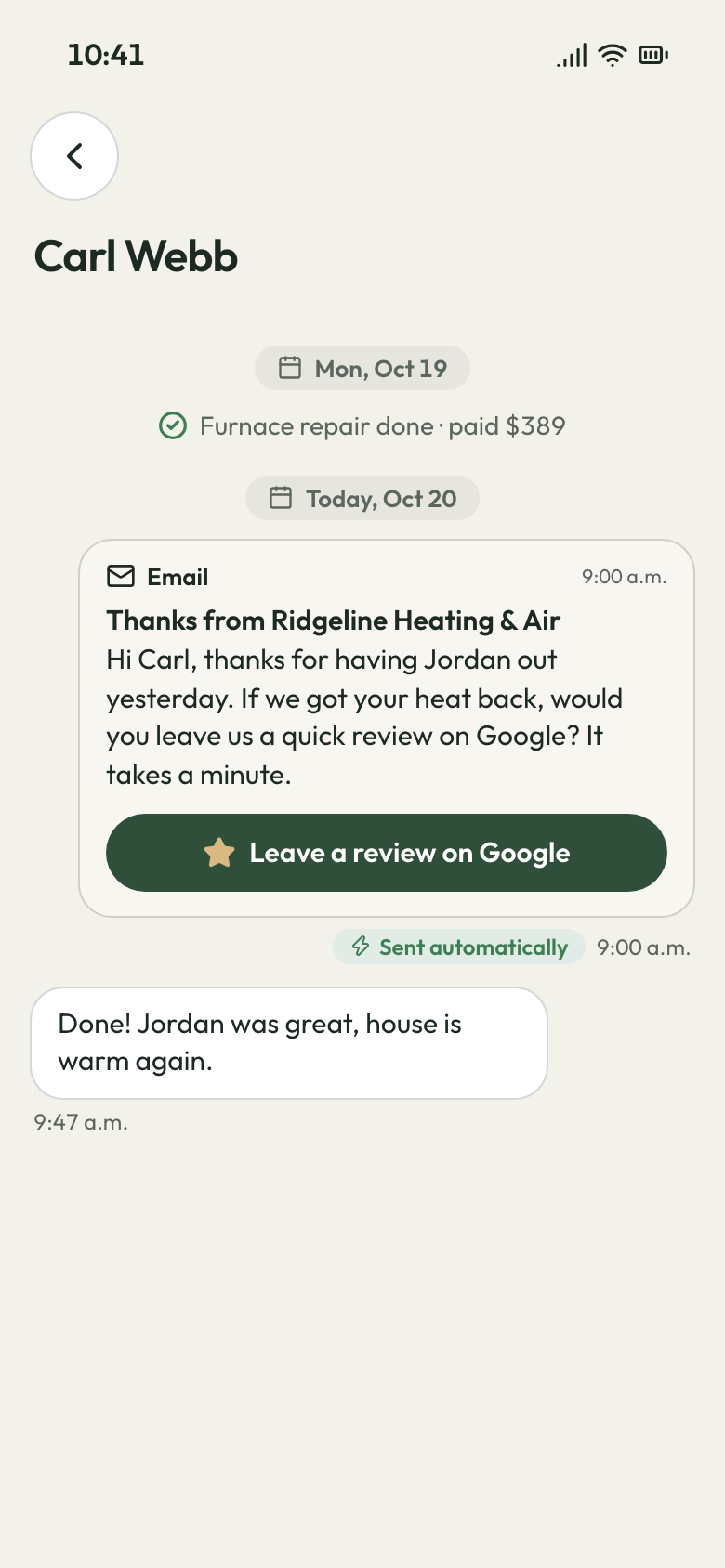
A day after the job closes, the customer gets a thank-you email with your Google review link. One tap opens Google's review box for your business. Your tech never has to bring it up.
- Thank-you email: your review link, the day after close
- Sent in your company's name
- One tap to your Google review box
The review request Fall rush
One text for the customer who forgot
The fall rush brings more jobs than you can count and a handful of reviews. In January, new callers judge you by that handful.
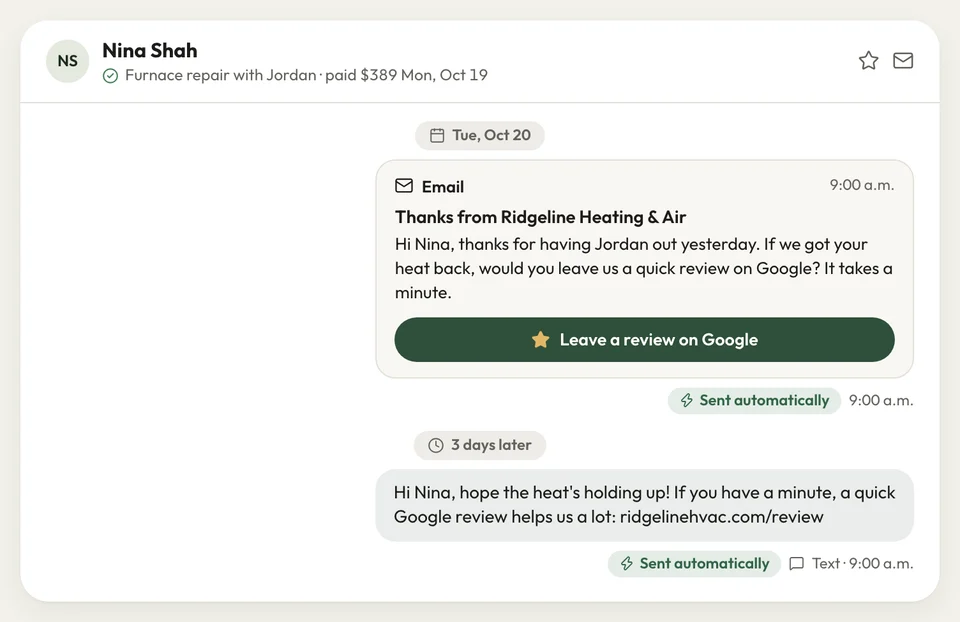
Three days after that email, the customer gets one short text with the same link. Only one, so nobody feels pestered. Every job from the rush gets asked twice, and the reviews are there when the phone goes quiet.
- Text nudge: 3 days after the email
- One text, never a string of them
Text nudge sent


I was paying for leads that four other contractors got too. Once every job asked for a review, homeowners started calling us straight from Google.
How it works
How every job asks for a review
Job closed
You close the job once the work is done and invoiced.
Email, then text
A day later, your review link goes by email; 3 days after that, one text.
Review posted
The customer taps the link, picks the stars and writes a line on Google.
Related features
What brings the next job in
- See Marketing
Marketing
Send everyone you've worked for a seasonal offer, as an email or a text.
- See Online booking
Online booking
Homeowners who read your reviews book a visit or flat-rate job online.
Job photos
Before and after photos per visit, shared as a report or a link.
Next: Run the jobSee Job photos
Getting more Google reviews
How do I get reviews from customers without asking each one myself?
When does the review request go out?
What if the customer doesn't leave a review?
Does it ask after every job, or do I have to remember?
Can more Google reviews get me jobs without paying for lead apps?

We do the setup
Let this season's jobs fill your Google page
We do the setup: your services and prices, your customers, each crew member's personal link to the crew app, and your website. We put in your Google review link, so the first job you close asks.
- Free trial, no card
- Month to month, cancel any time